

Explore Upcoming Workshops Near You and Ignite Your Passion for Innovation. Reserve a Seat today!

Nebraska
Build a future with Moonpreneur
DEVELOP TECHNICAL, SOFT, &
ENTREPRENEURIAL SKILLS
AGE 7-15 YEARS
CLAIM YOUR $10 ROBLOX/AMAZON/MINECRAFT GIFT
CARD BY ATTENDING A FREE TRIAL CLASS
BOOK A FREE ROBOTICS TRIAL
Select Your Subject of Choice

    Please enter name

    Please enter email


    Existing knowledge in programming/robotics

    *No credit card required.

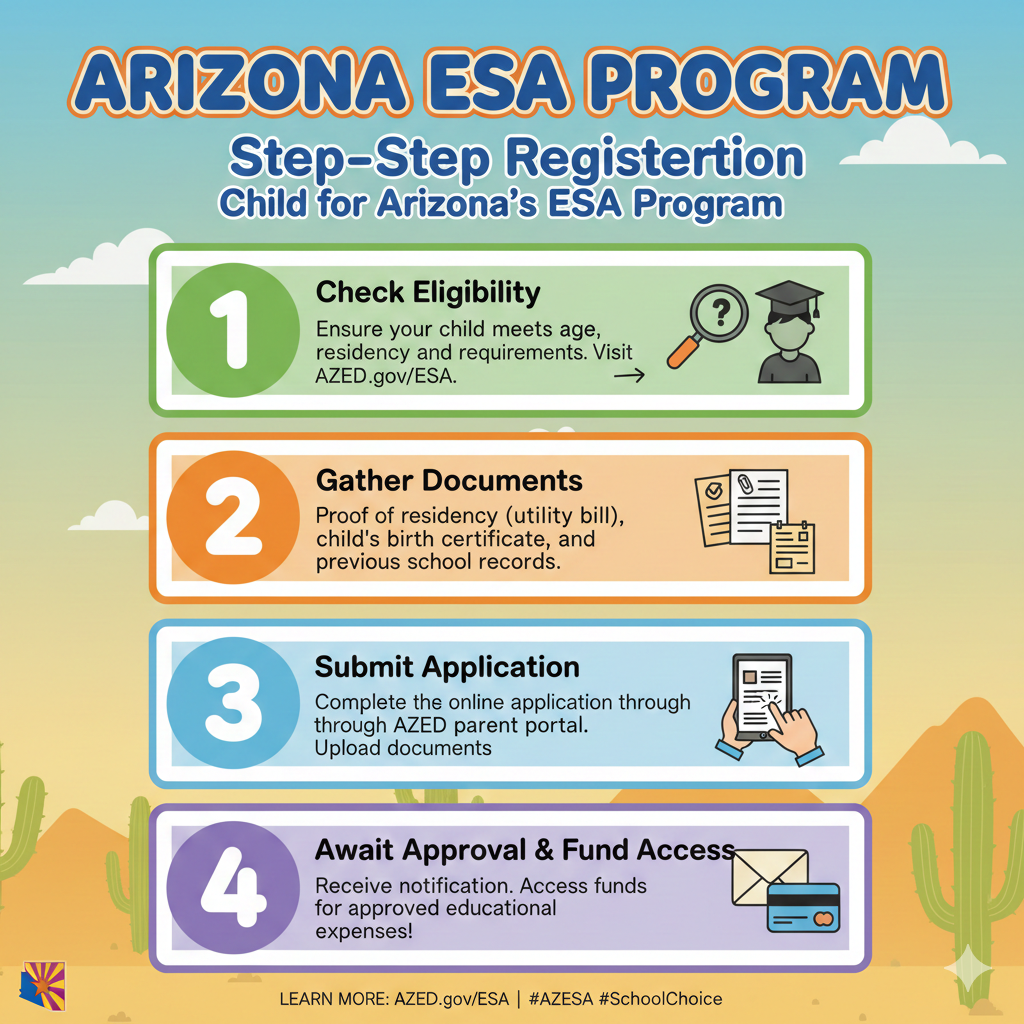
    Step-by-Step Guide to Registering Your Child for Arizona’s ESA Program

    |

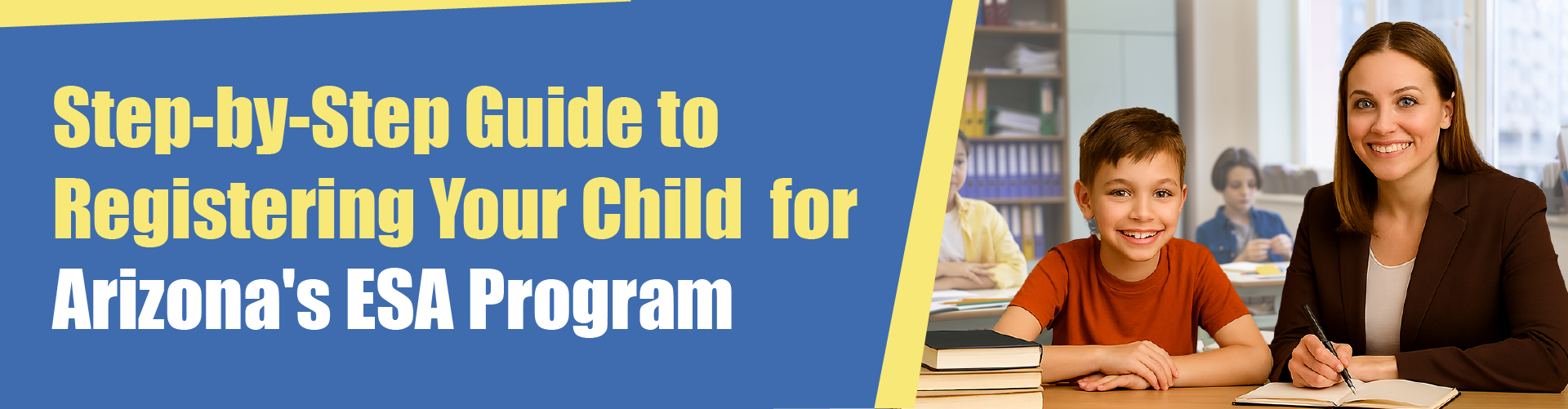
    Step By Step Guide to Registering Your Child for Arizona's ESA Program

    Are you considering Arizona’s Empowerment Scholarship Account for your child? You’re not alone. Thousands of Arizona families are discovering this parent-directed education funding option. Here’s exactly how to get started, no guesswork required.​

    What You Need to Know First

    Arizona’s ESA isn’t new, but the Universal option is. This program was previously reserved for students with disabilities. Now, the program welcomes all K-12 Arizona students. This means you can redirect state tax dollars toward your child’s education. The funds can be used for homeschooling, private school, tutoring, or educational materials.​

    Just remember: you can’t use ESA funds while your child is enrolled in public school. It’s one or the other.​

    Recommended Reading: Your Step-by-Step Guide to Accessing Arizona ESA Funds

    ⭐ Step 1: Find the Application Portal

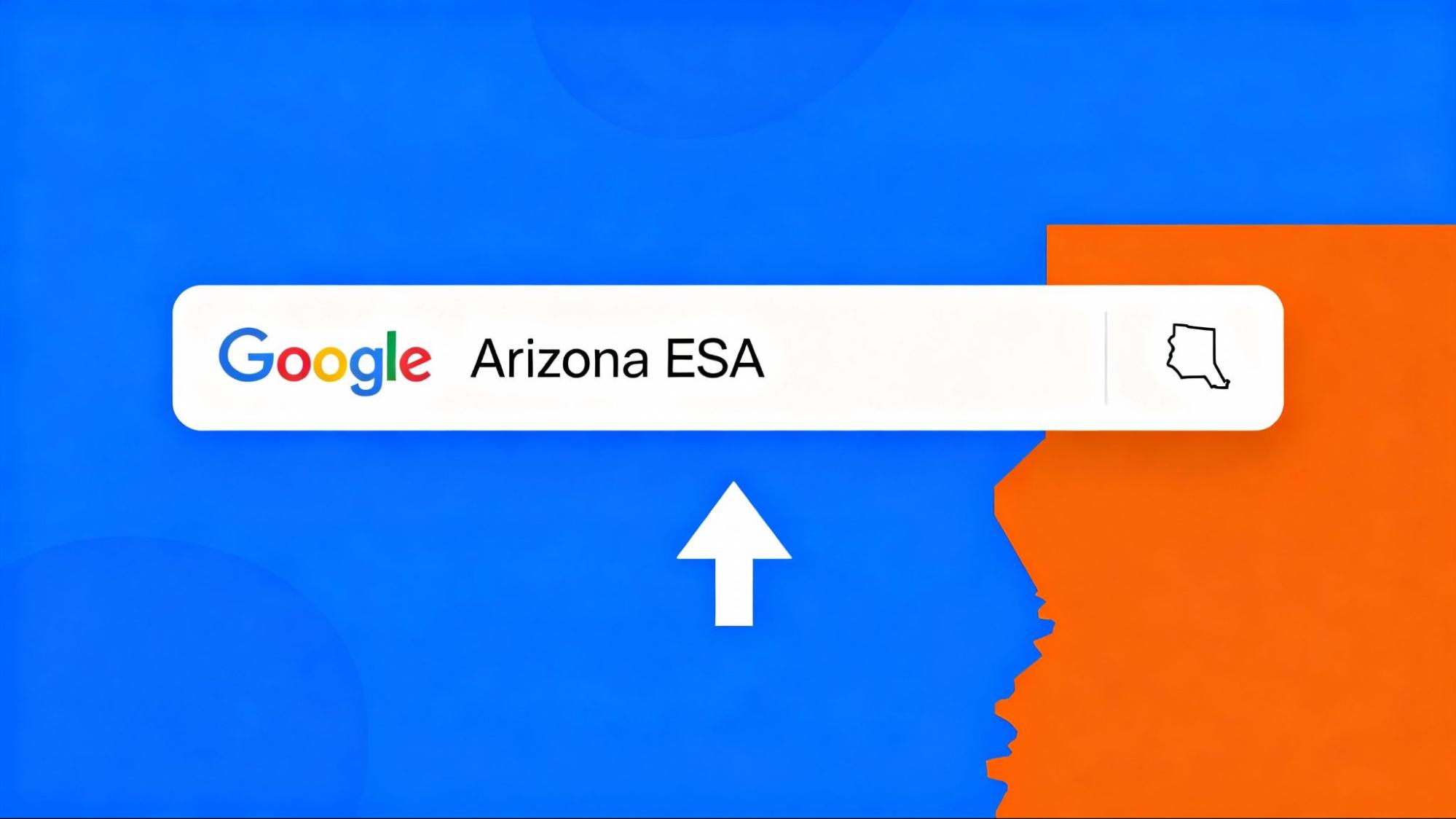
    Don’t memorize complicated URLs. Simply Google “Arizona ESA” and click the first link. It takes you straight to the official Arizona Department of Education ESA page.​

    Official ESA Website: https://www.azed.gov/esa​

    Google Arizona Esa

    Step 2: Create Your Account

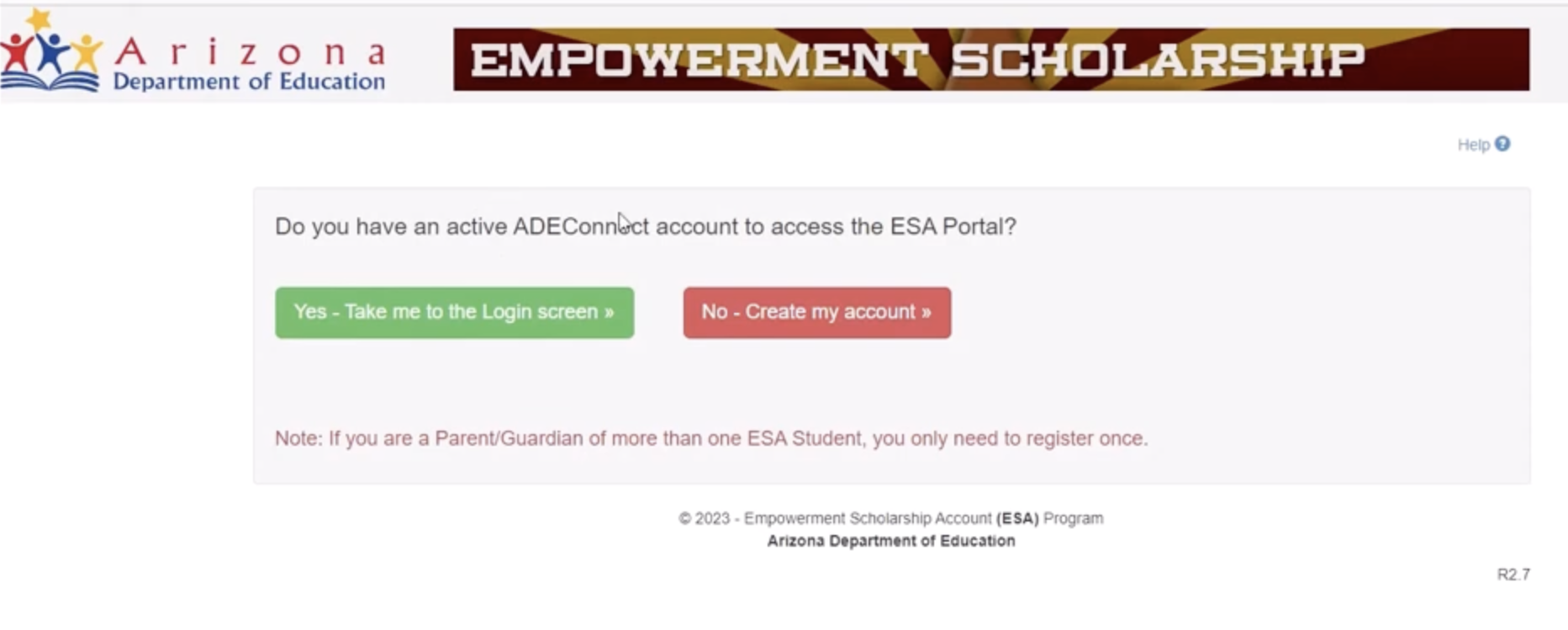
    Click on the “No, Create My Account” button when asked if you have an active account. 
    Empowerment Scholarship Image1

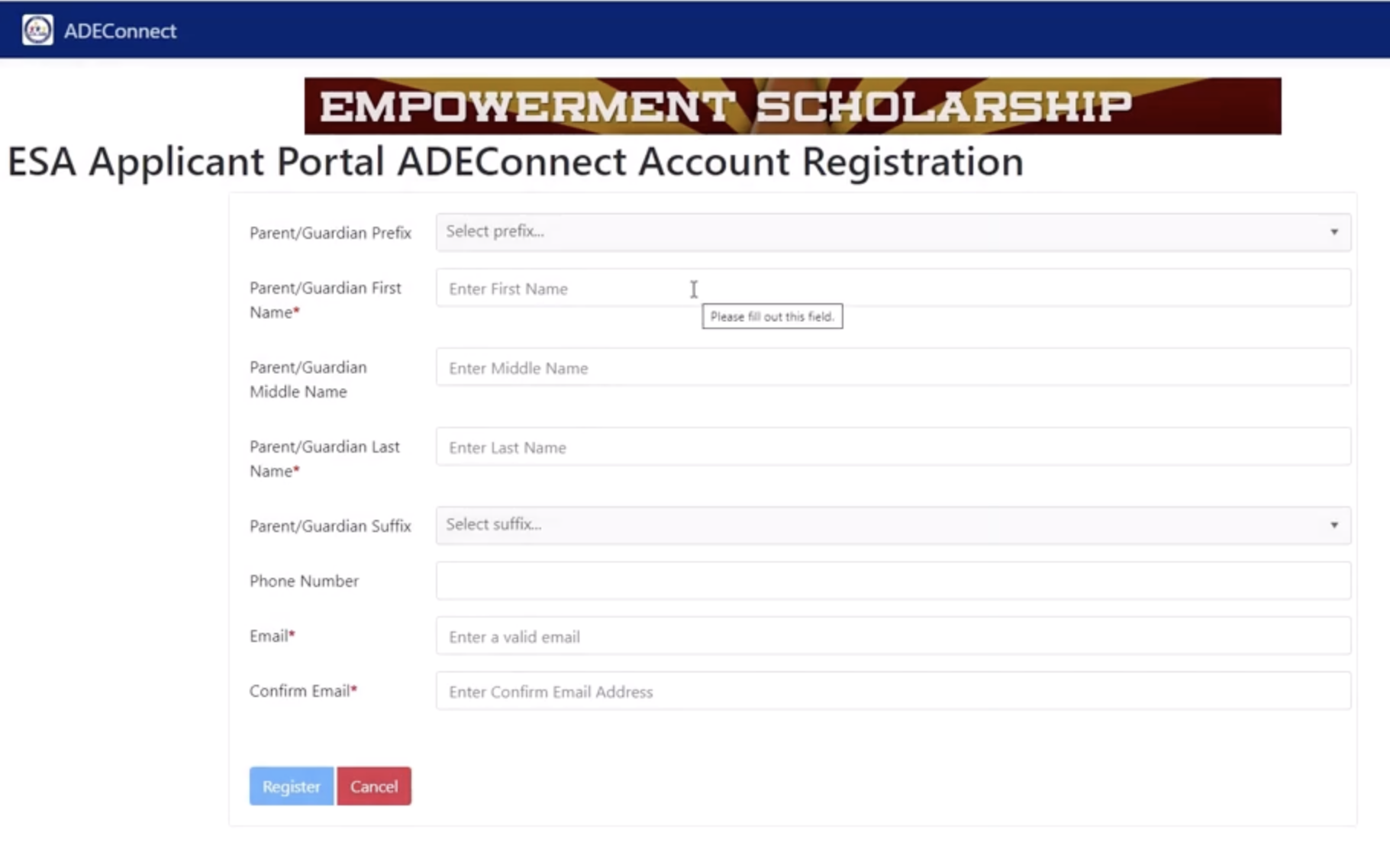
    Fill in your information:

    – Full name

    – Phone number

    – Email address
    Empowerment Scholarship Image2

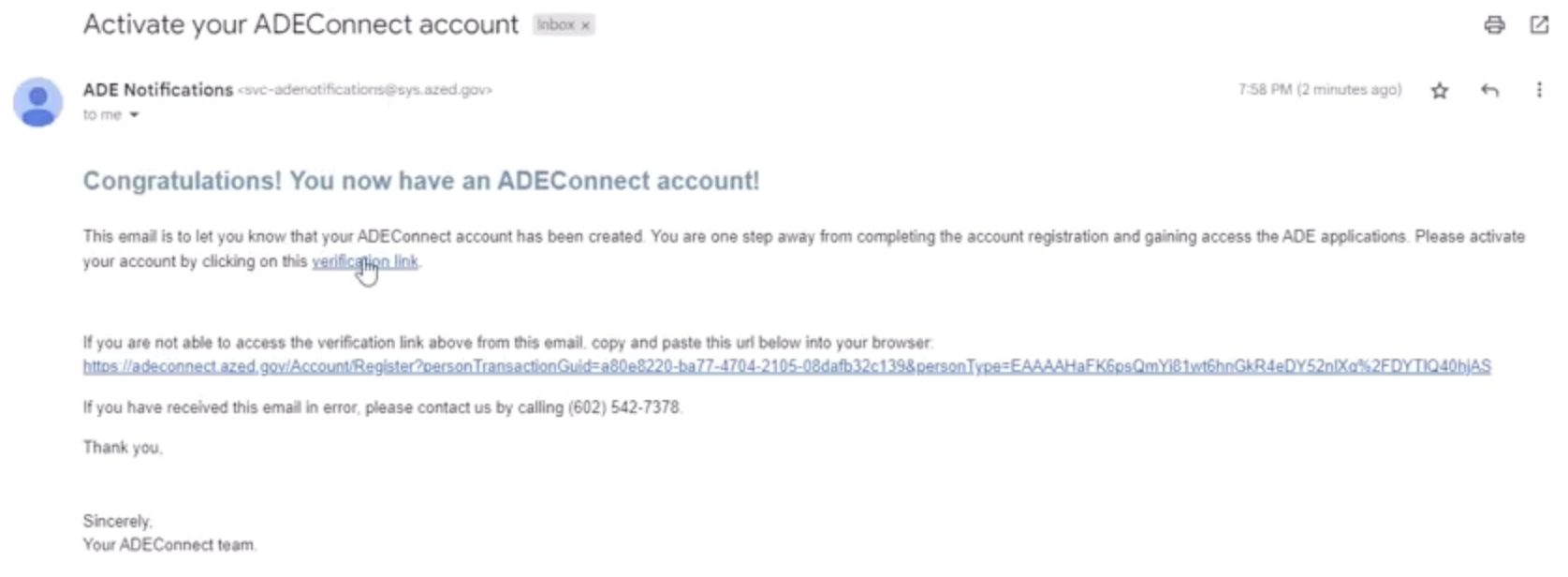
    Hit the “Register” button. You’ll receive a verification email within minutes.

    ⭐ Step 3: Verify and Set Your Password

    Click on the verification link in the email. Create a password you’ll easily remember. The system will ask you to wait for 15 minutes before logging in again.​

    Activate Your Ade Connect Account

    Step 4: Complete Your Guardian Profile

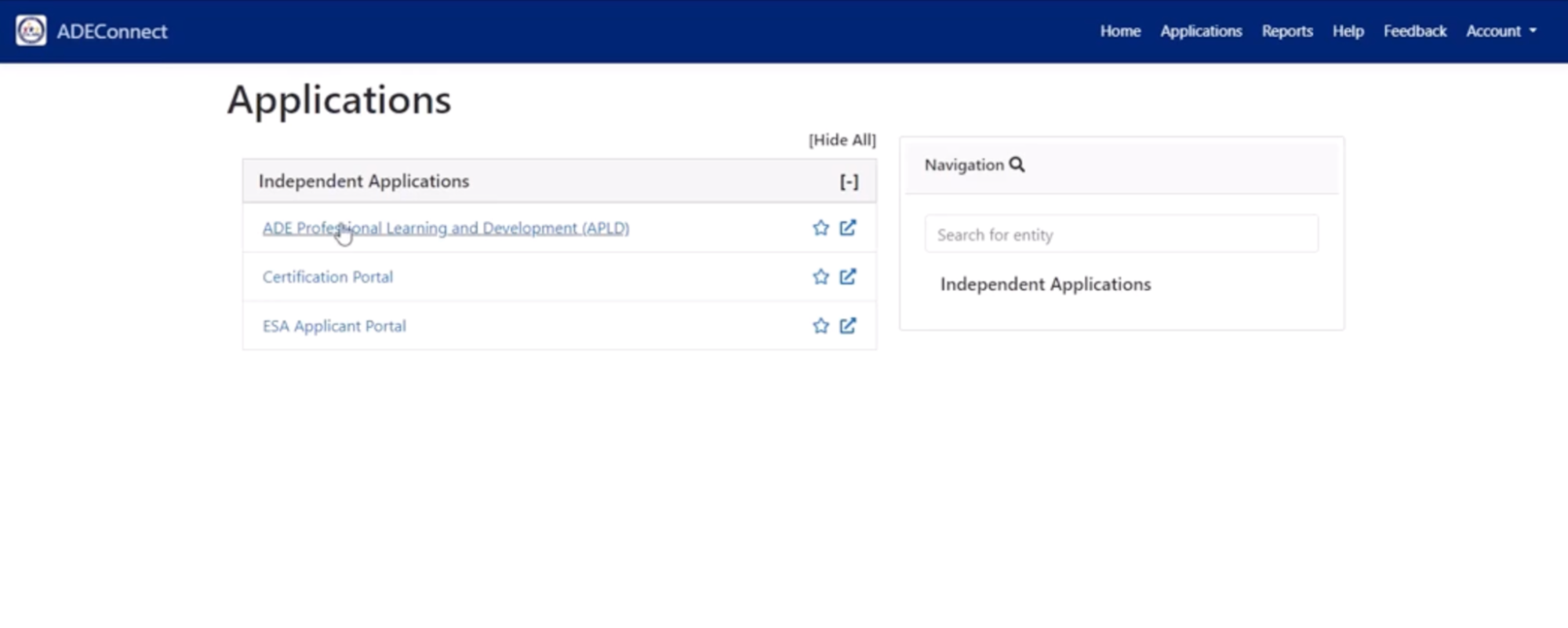
    Once logged in, navigate to Applications → View Applications → ESA Applicant Portal

    Ade Connect

    Ade Connect 2Fill out your information accurately, as the parent or guardian, as this helps manage your children’s accounts.

    Esa Successfully Updated Application InformationClick “Save Changes” when finished.​

    Esa Personal Information Image2

    Recommended Reading: What Every Arizona Parent Should Know About the ESA Program

    Step 5: Gather Required Documents

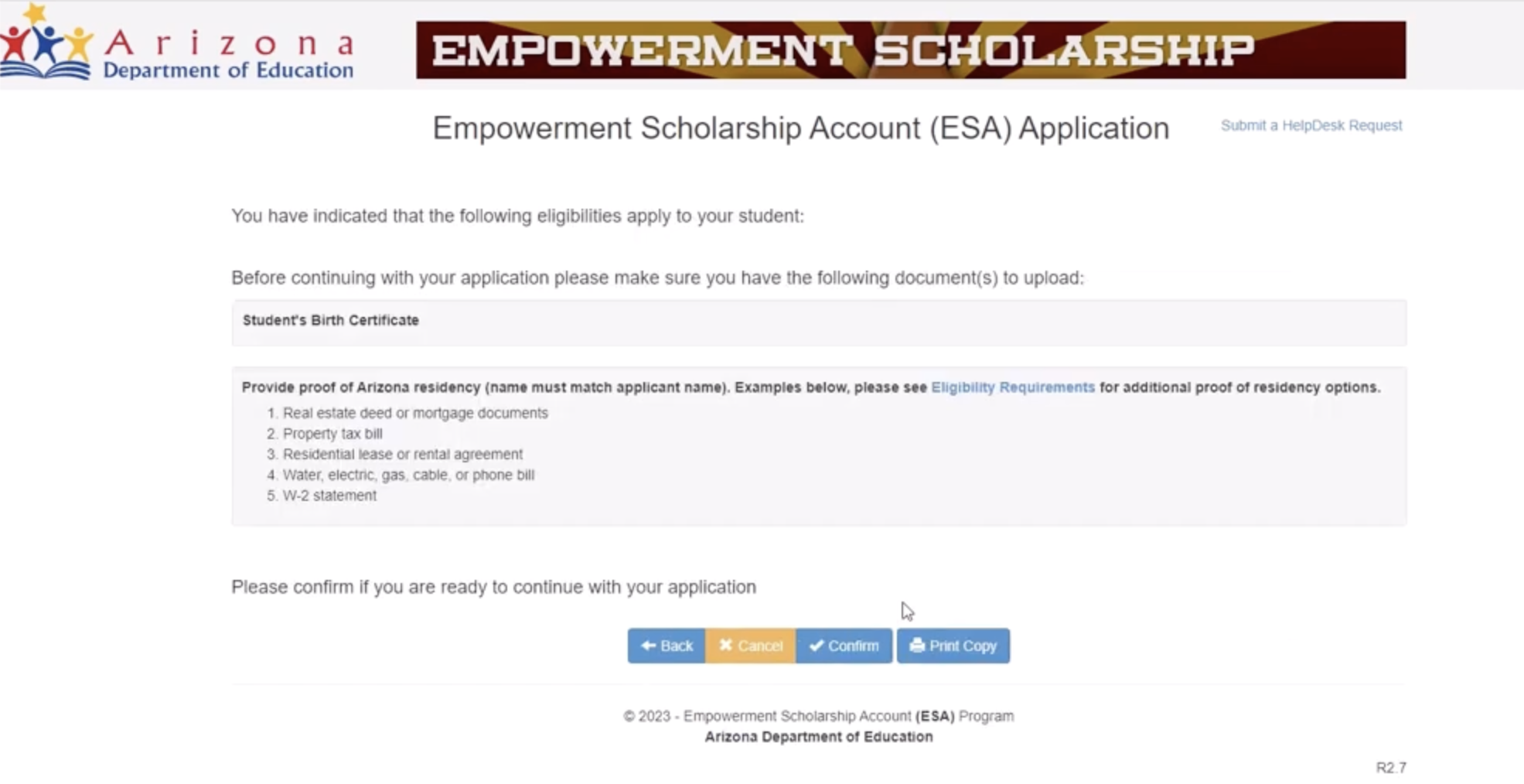
    Before adding your child, you’ll need:

    – Your child’s birth certificate (full color image)​

    – Proof of residency in your name (electric bill, utility statement, or a lease agreement)

    Pro tip: Download a scanning app to convert paper documents to PDFs using your phone.​

    Step 6: Create Your Child’s Application

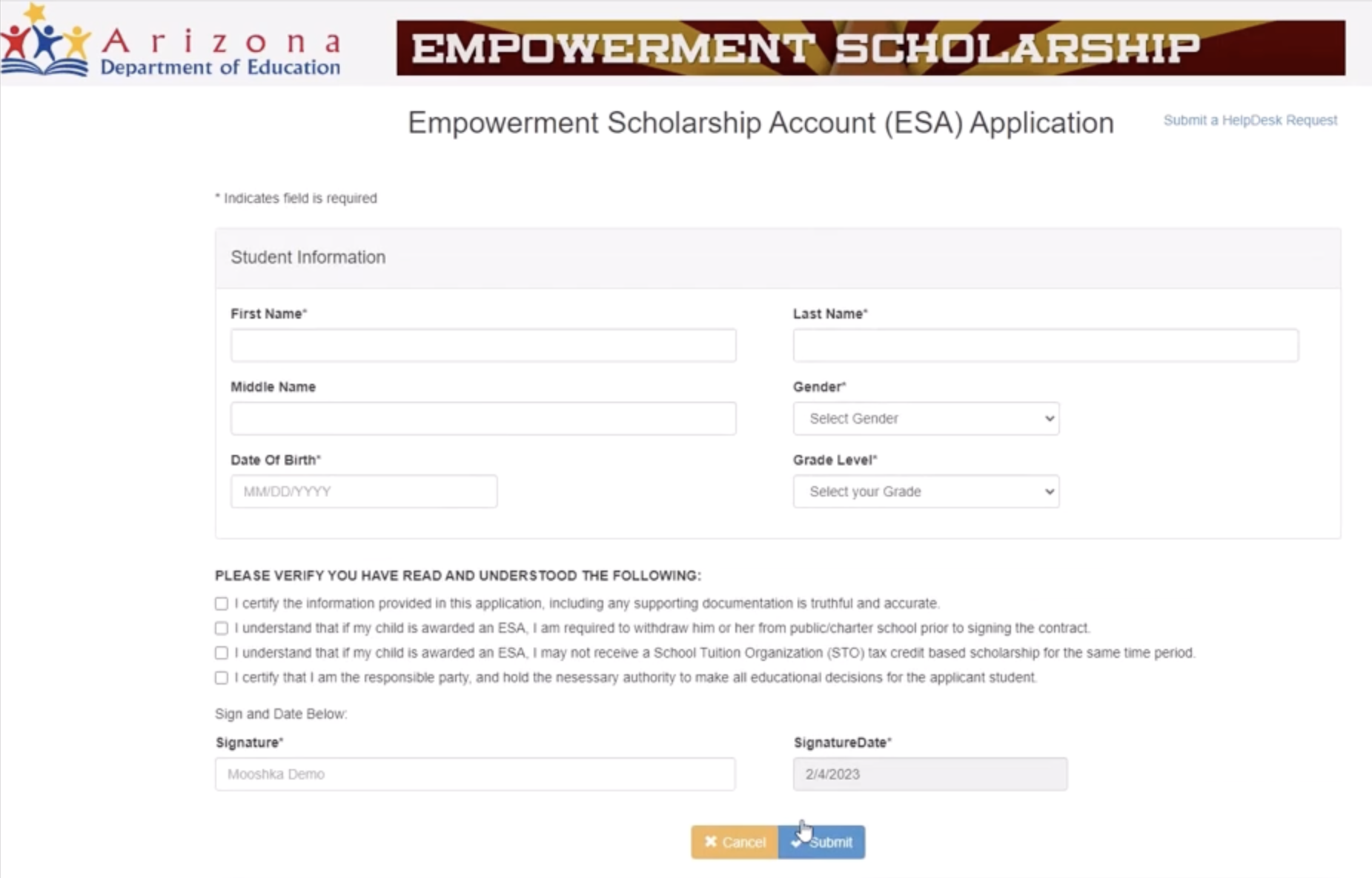
    Click “Create New Application” on your home dashboard.

    Create Your Child's Application

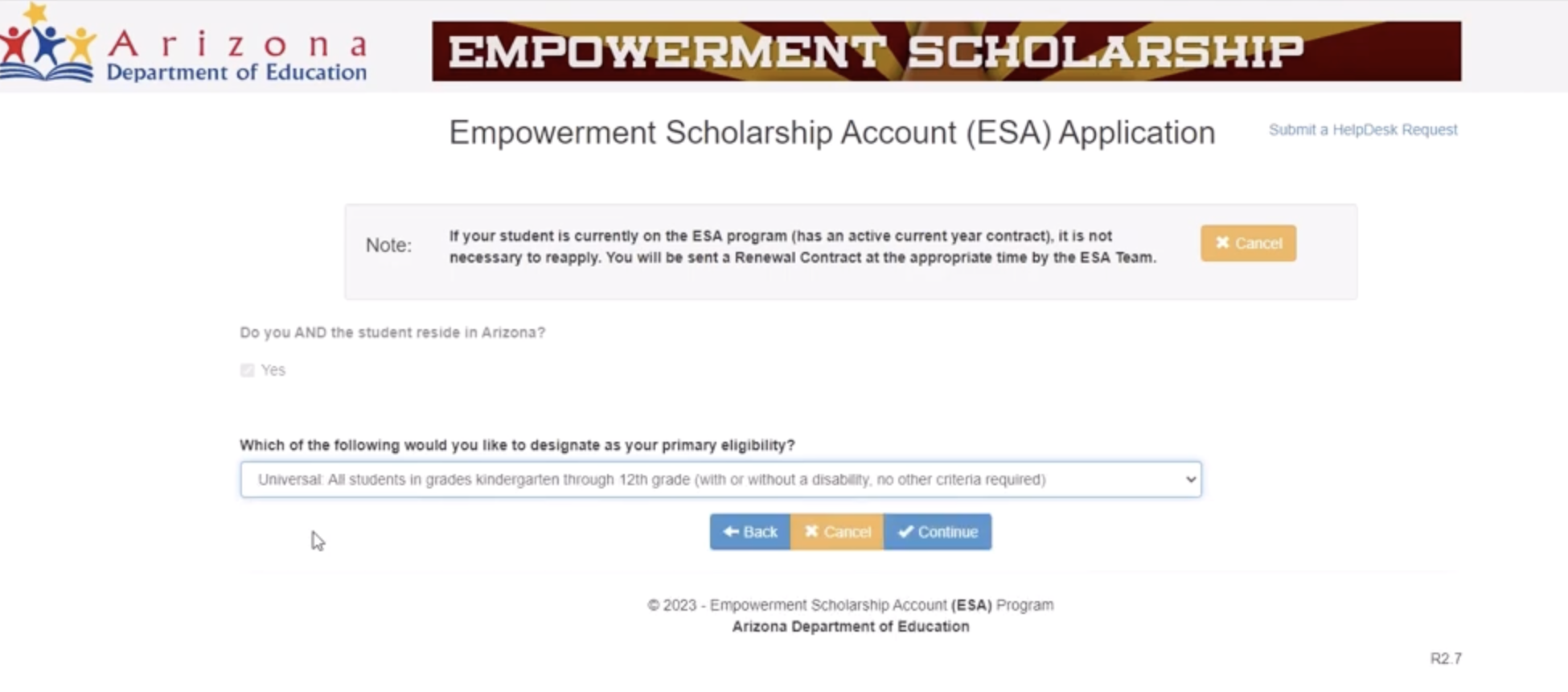
    Answer each question carefully. Key selections:

    • Primary eligibility: Choose “Universal” (not the disability-specific options)​
    • Current IEP/evaluation: Most families will select “No”
    Empowerment Scholarship Image3

    Upload your documents:

    • Birth certificate for your child
    • Proof of residency (same document works for multiple children)​

    Empowerment Scholarship Image4

    Step 7: Enter Your Child’s Information

    Fill in:

    • Full legal name
    • Date of birth
    • Grade level
    • Gender

    Empowerment Scholarship Image5

    Review everything before you submit. Add your digital signature and click Submit.​

    Repeat Steps 6 and 7 for every child. You’ll use the same residency proof for all.​

    Recommended Reading: Are You Leaving Thousands on the Table? What Arizona Parents Need to Know About ESA

    What Happens After You Submit the Application?

    Your application status will show “Waiting for approval by the state.” Processing may take up to 30 days. Once approved, you’ll gain access to ClassWallet- the platform where you’ll manage and spend your ESA funds.​​

    The ESA program has experienced high demand, so patience during the review period is key.​

    Need Help?

    ESA Support Line: (602) 364-1969 (Available Monday-Friday: 8 am-8 pm | Saturday: 8 am-12 pm) ​

    Email: ESACallCenter@azed.gov​

    Spanish Support: ESAenEspanol@azed.gov

    Moonpreneur is on a mission to disrupt traditional education and future-proof the next generation with holistic learning solutions. Its Innovator Program is building tomorrow’s workforce by training students in AI/ML, Robotics, Coding, IoT, and Apps, enabling entrepreneurship through experiential learning.

    Moonpreneur

    Moonpreneur

    Moonpreneur is an ed-tech company that imparts tech entrepreneurship to children aged 7 to 16. Its flagship offering, the Innovator Program, offers students a holistic learning experience that blends Technical Skills, Power Skills, and Entrepreneurial Skills with streams such as Robotics, Game Development, App Development, Advanced Math, and Book Writing & Publishing.
    Subscribe
    Notify of
    guest

    0 Comments
    Inline Feedbacks
    View all comments

    RELATED ARTICLES

    YOU MAY ALSO LIKE

    Explore by Category

    MOST POPULAR

    GIVE A GIFT OF $10
    MINECRAFT GIFT
    TO YOUR CHILD

    JOIN A FREE TRIAL CLASS

    FREE EBOOK AND STORYBOOK

    Download "Treasure Hunt" - A Robotics Workbook for Kids (8-15 YEARS)
    Download Now

    Robotics Ebook And 3-Part Video Series

    Download Now