Explore Upcoming Workshops Near You and Ignite Your Passion for Innovation. Reserve a Seat today!

ESA Program
Build a future with Moonpreneur
DEVELOP TECHNICAL, SOFT, &
ENTREPRENEURIAL SKILLS
AGE 7-15 YEARS
RESERVE YOUR FREE WORKSHOP
Back to blog Education

Step-by-Step Guide to Registering Your Child for Arizona’s ESA Program

Are you considering Arizona’s Empowerment Scholarship Account for your child? You’re not alone. Thousands of Arizona families are discovering this parent-directed education funding option. Here’s exactly how to get started, no guesswork required.​ What You Need to Know First Arizona’s ESA isn’t new, but the Universal option is. This program was previously reserved for students […]

Moonpreneur December 2, 2025 3 min read

Step-by-Step Guide to Registering Your Child for Arizona’s ESA Program

|
Step By Step Guide to Registering Your Child for Arizona's ESA Program

Are you considering Arizona’s Empowerment Scholarship Account for your child? You’re not alone. Thousands of Arizona families are discovering this parent-directed education funding option. Here’s exactly how to get started, no guesswork required.​

What You Need to Know First

Arizona’s ESA isn’t new, but the Universal option is. This program was previously reserved for students with disabilities. Now, the program welcomes all K-12 Arizona students. This means you can redirect state tax dollars toward your child’s education. The funds can be used for homeschooling, private school, tutoring, or educational materials.​

Just remember: you can’t use ESA funds while your child is enrolled in public school. It’s one or the other.​

Recommended Reading: Your Step-by-Step Guide to Accessing Arizona ESA Funds

⭐ Step 1: Find the Application Portal

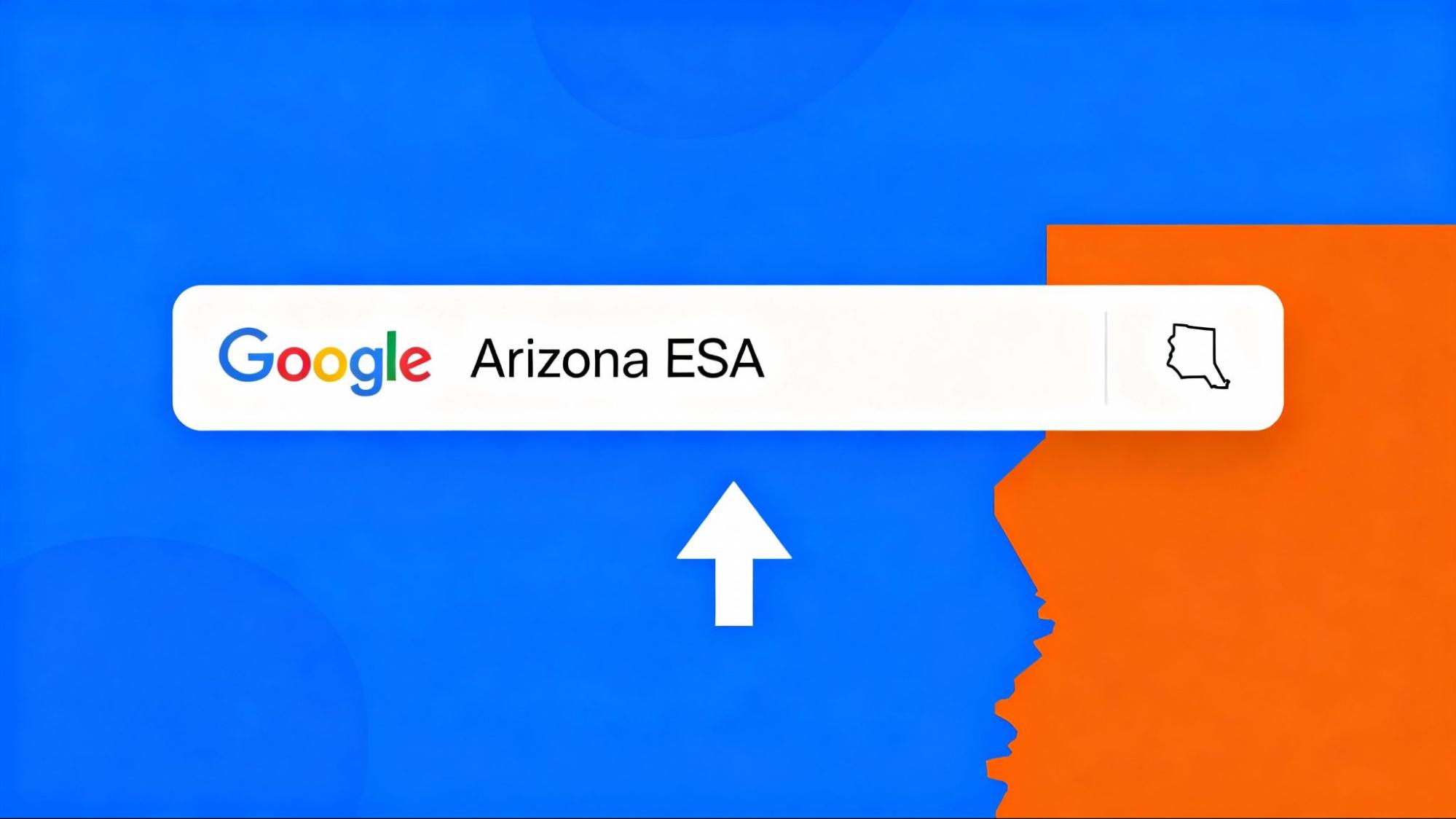
Don’t memorize complicated URLs. Simply Google “Arizona ESA” and click the first link. It takes you straight to the official Arizona Department of Education ESA page.​

Official ESA Website: https://www.azed.gov/esa​

Google Arizona Esa

Step 2: Create Your Account

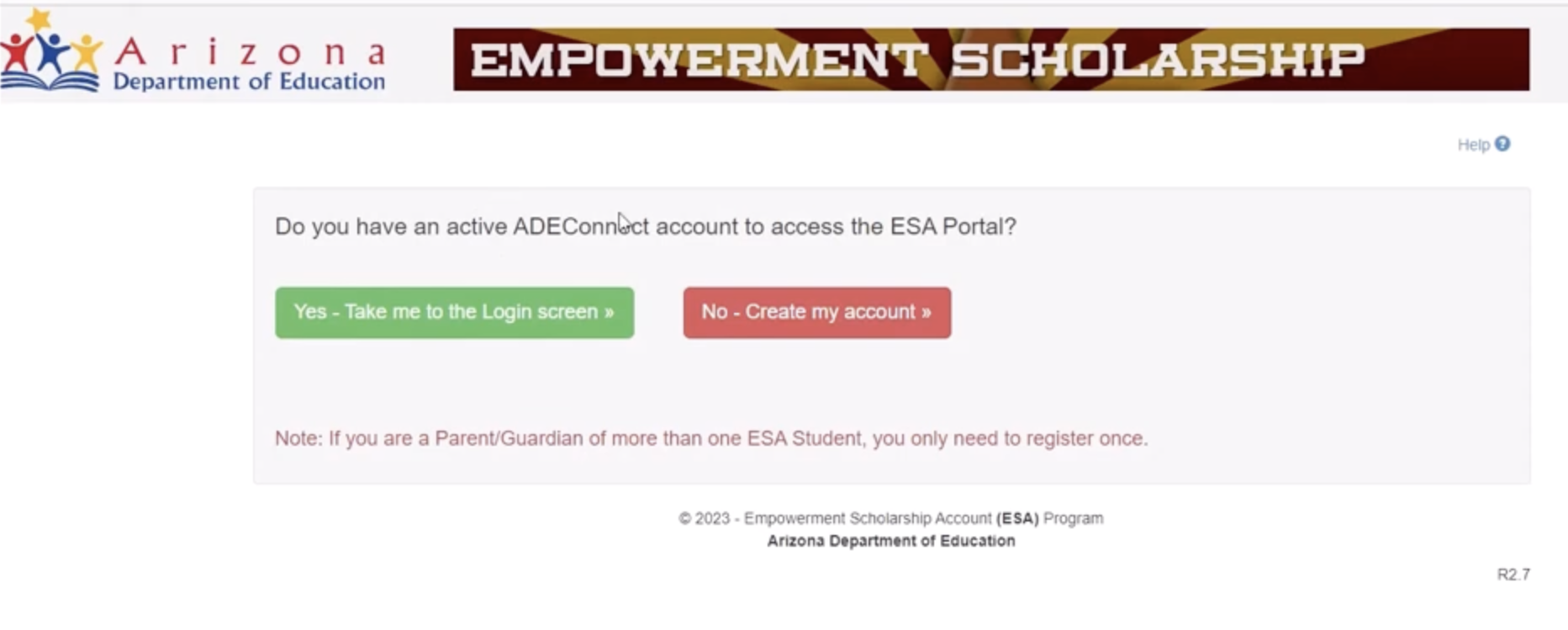
Click on the “No, Create My Account” button when asked if you have an active account. 
Empowerment Scholarship Image1

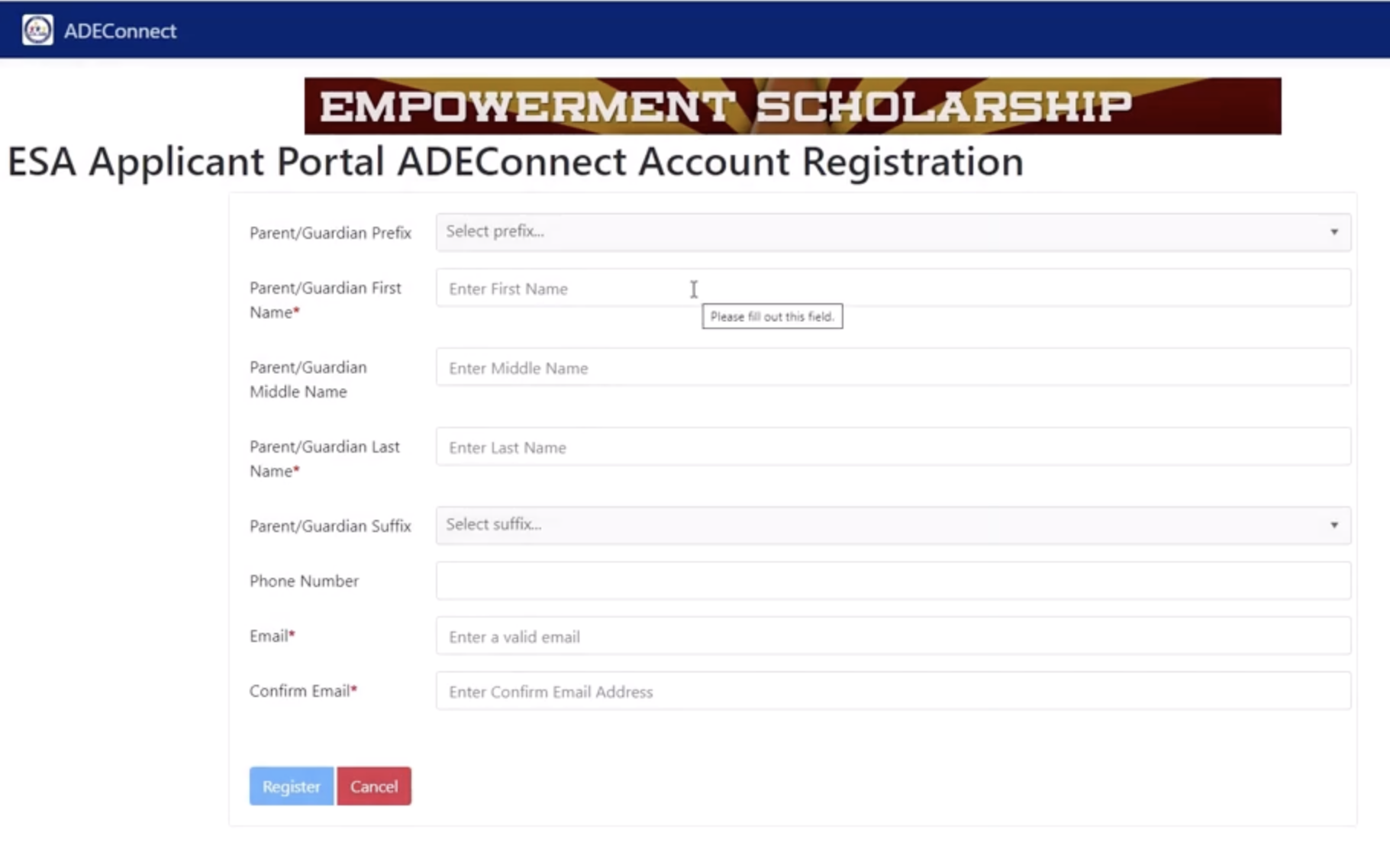
Fill in your information:

– Full name

– Phone number

– Email address
Empowerment Scholarship Image2

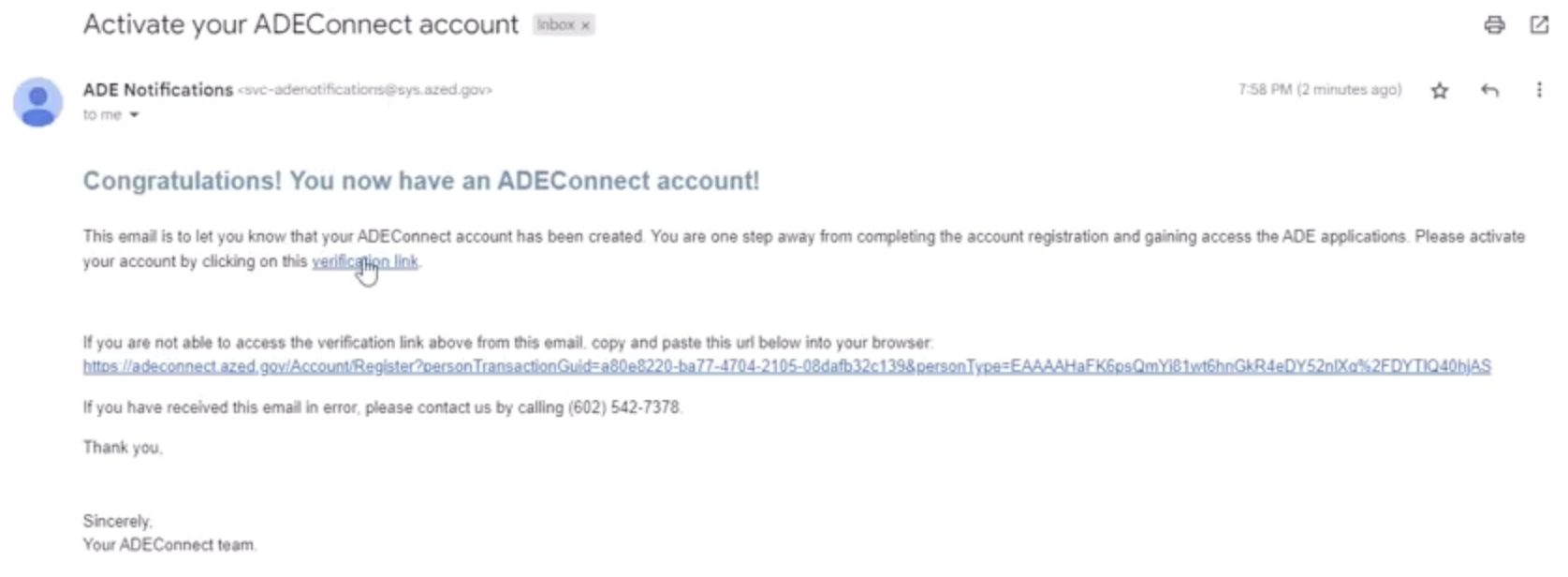
Hit the “Register” button. You’ll receive a verification email within minutes.

⭐ Step 3: Verify and Set Your Password

Click on the verification link in the email. Create a password you’ll easily remember. The system will ask you to wait for 15 minutes before logging in again.​

Activate Your Ade Connect Account

Step 4: Complete Your Guardian Profile

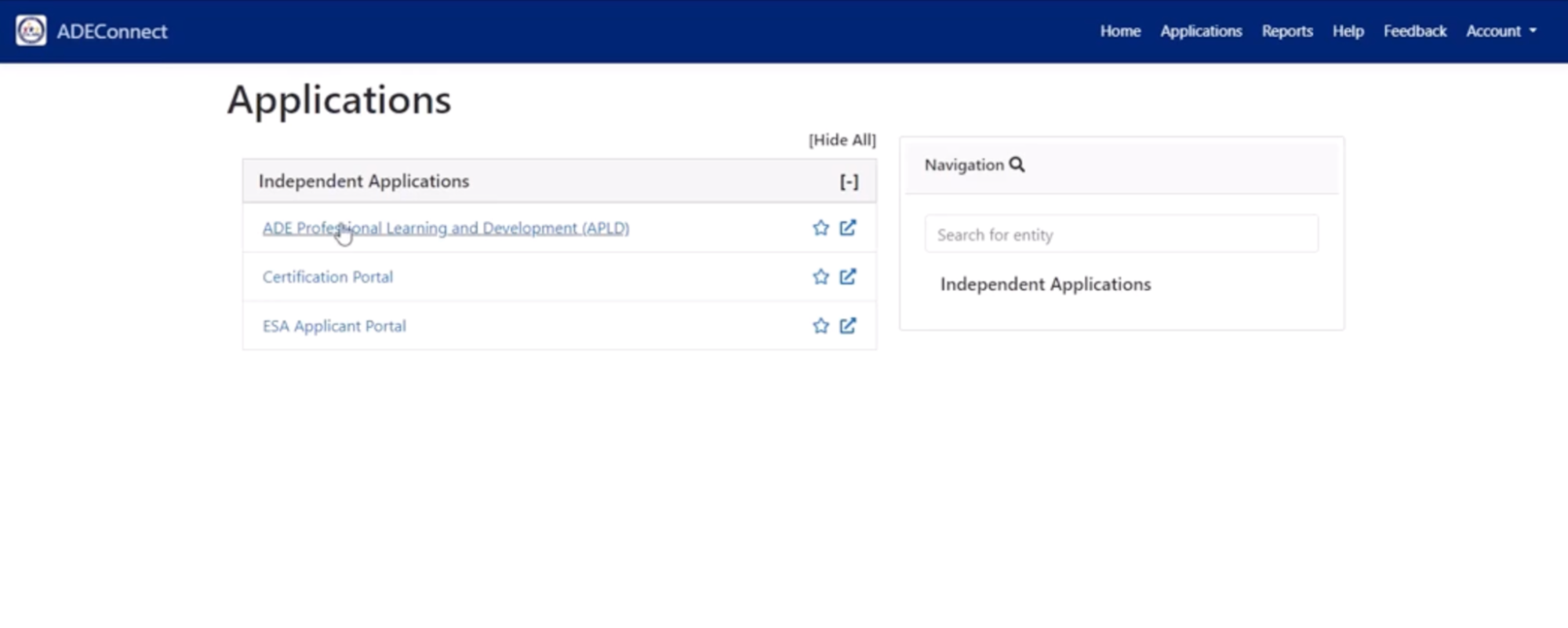
Once logged in, navigate to Applications → View Applications → ESA Applicant Portal

Ade Connect

Ade Connect 2Fill out your information accurately, as the parent or guardian, as this helps manage your children’s accounts.

Esa Successfully Updated Application InformationClick “Save Changes” when finished.​

Esa Personal Information Image2

Recommended Reading: What Every Arizona Parent Should Know About the ESA Program

Step 5: Gather Required Documents

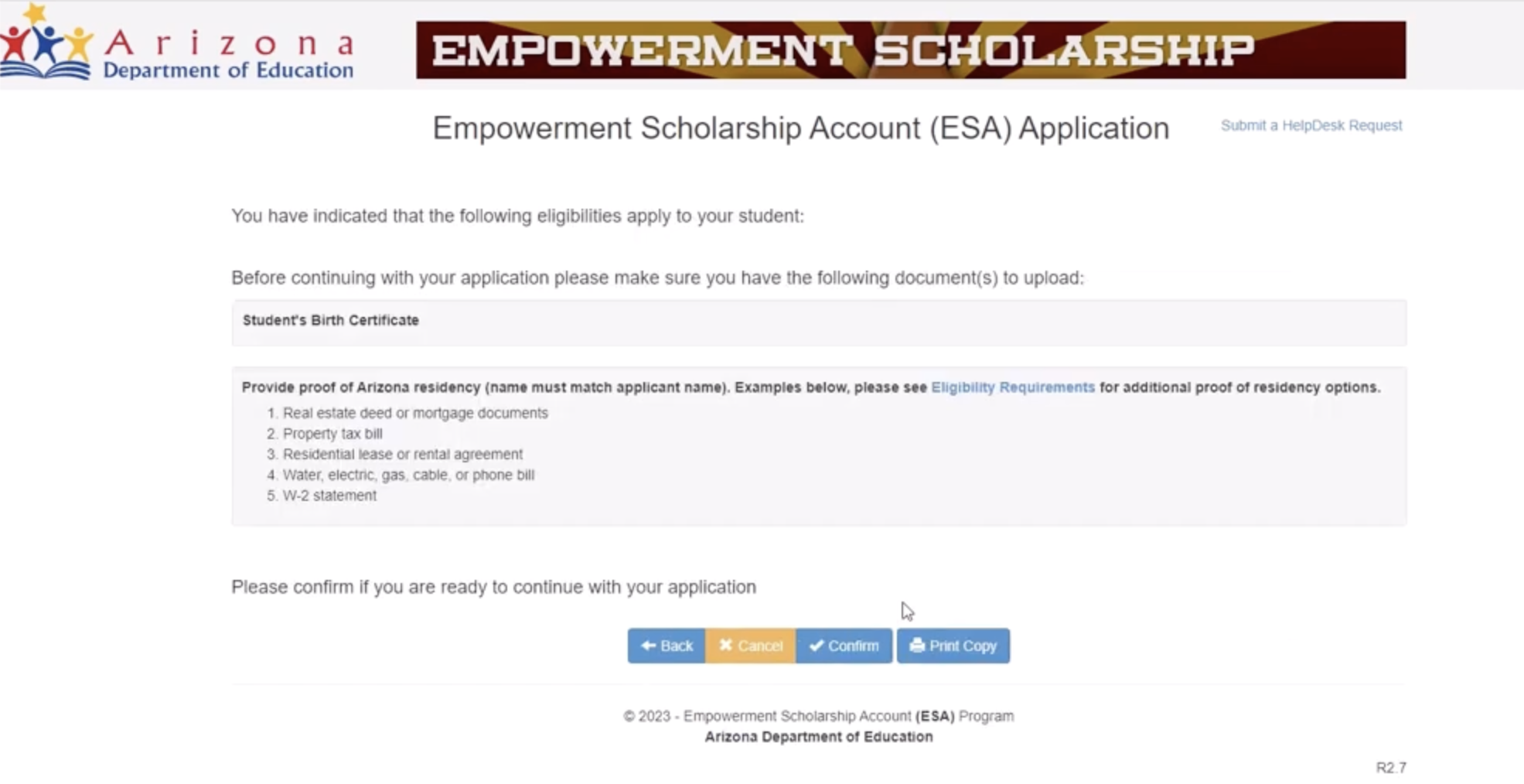
Before adding your child, you’ll need:

– Your child’s birth certificate (full color image)​

– Proof of residency in your name (electric bill, utility statement, or a lease agreement)

Pro tip: Download a scanning app to convert paper documents to PDFs using your phone.​

Step 6: Create Your Child’s Application

Click “Create New Application” on your home dashboard.

Create Your Child's Application

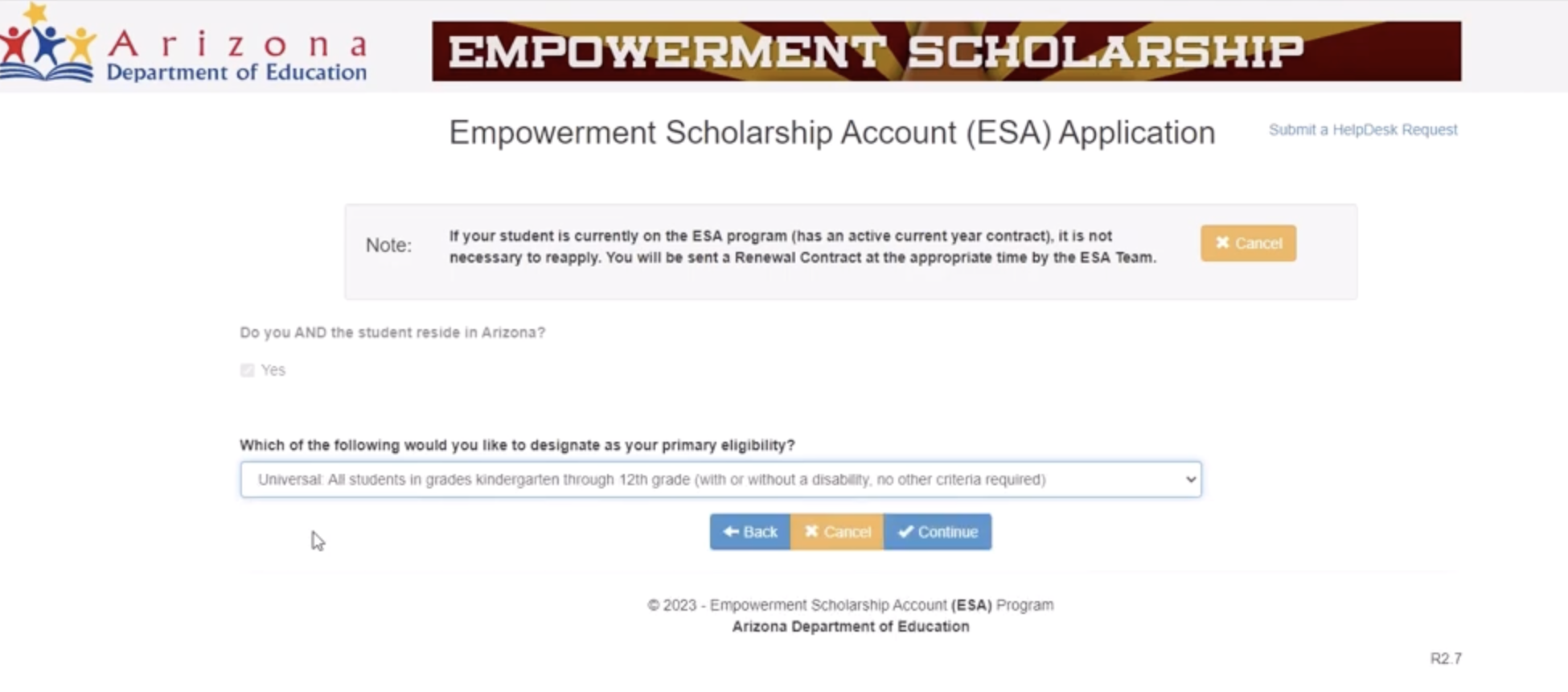
Answer each question carefully. Key selections:

  • Primary eligibility: Choose “Universal” (not the disability-specific options)​
  • Current IEP/evaluation: Most families will select “No”
Empowerment Scholarship Image3

Upload your documents:

  • Birth certificate for your child
  • Proof of residency (same document works for multiple children)​

Empowerment Scholarship Image4

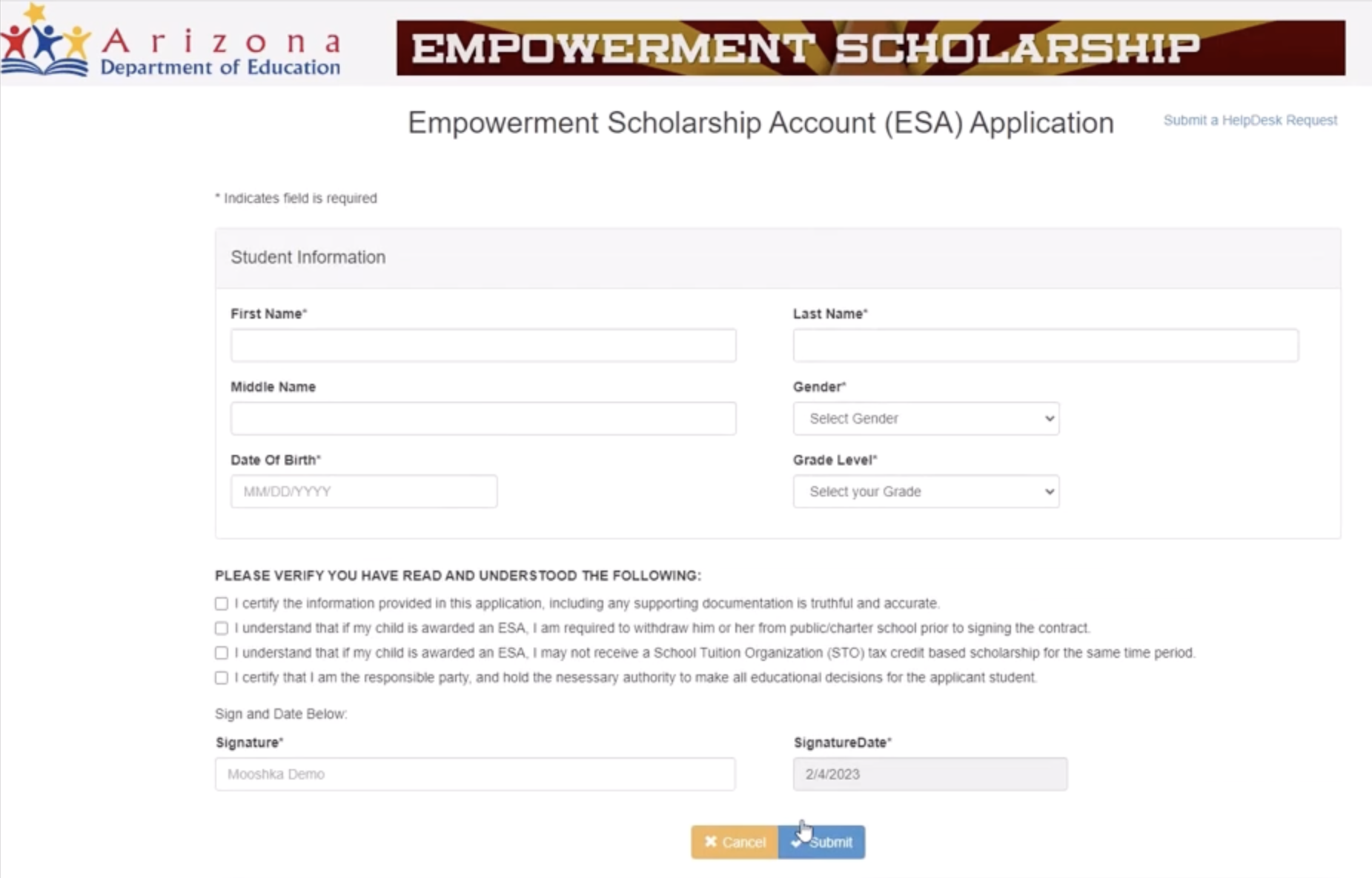
Step 7: Enter Your Child’s Information

Fill in:

  • Full legal name
  • Date of birth
  • Grade level
  • Gender

Empowerment Scholarship Image5

Review everything before you submit. Add your digital signature and click Submit.​

Repeat Steps 6 and 7 for every child. You’ll use the same residency proof for all.​

Recommended Reading: Are You Leaving Thousands on the Table? What Arizona Parents Need to Know About ESA

What Happens After You Submit the Application?

Your application status will show “Waiting for approval by the state.” Processing may take up to 30 days. Once approved, you’ll gain access to ClassWallet- the platform where you’ll manage and spend your ESA funds.​​

The ESA program has experienced high demand, so patience during the review period is key.​

Need Help?

ESA Support Line: (602) 364-1969 (Available Monday-Friday: 8 am-8 pm | Saturday: 8 am-12 pm) ​

Email: ESACallCenter@azed.gov​

Spanish Support: ESAenEspanol@azed.gov

Moonpreneur is on a mission to disrupt traditional education and future-proof the next generation with holistic learning solutions. Its Innovator Program is building tomorrow’s workforce by training students in AI/ML, Robotics, Coding, IoT, and Apps, enabling entrepreneurship through experiential learning.

Moonpreneur

Moonpreneur

Moonpreneur is an ed-tech company that imparts tech entrepreneurship to children aged 7 to 16. Its flagship offering, the Innovator Program, offers students a holistic learning experience that blends Technical Skills, Power Skills, and Entrepreneurial Skills with streams such as Robotics, Game Development, App Development, Advanced Math, and Book Writing & Publishing.
Subscribe
Notify of
guest

0 Comments
Inline Feedbacks
View all comments

RELATED ARTICLES