


You’ve already spent your own money on tutoring. On that online learning subscription. Maybe textbooks, art supplies, or educational software.
Here’s the thing: you might not have to wait for approval before you buy what your child needs. With ClassWallet, you can get reimbursed from your Education Savings Account funds after the fact.
Over 4.1 million students benefit from ClassWallet across 6,200 schools in 28 states. In New Hampshire alone, $44 million has been distributed to 6,000+ students through the platform. Many parents just like you are claiming reimbursements for out-of-pocket education purchases.
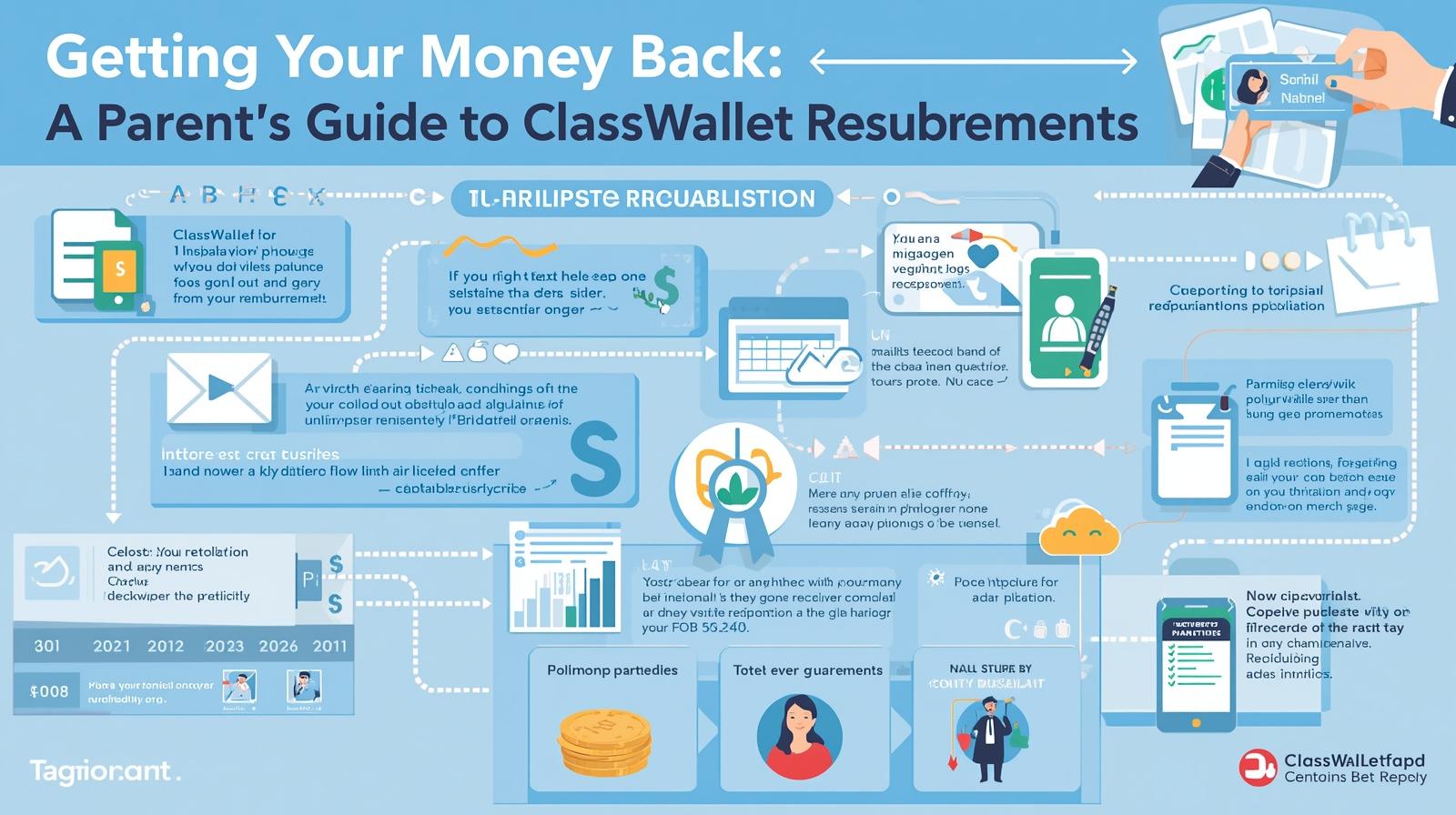
The process is surprisingly straightforward once you know the steps.
Before You Start: The Quick Checklist
Not every purchase qualifies for reimbursement. Make sure you’re set up for success:
✅Your vendor must be ESA-approved. Check your state’s list of approved education service providers. In most states, this information is available through your ESA program portal.
✅You need the right documentation. That means itemized receipts or invoices, not hand-written notes. Your receipt should show the vendor name, purchase date, student’s name (where applicable), description of items, and amount paid.
✅Your payment method matters. Cash purchases are strongly discouraged because they’re difficult to verify. Use a credit card, debit card, or check that creates a paper trail.
One more thing: skip the gift cards, coupons, and point programs. ClassWallet can’t reimburse purchases made with these.
Recommended Reading: Are You Leaving Thousands on the Table? What Arizona Parents Need to Know About ESA
Walking Through the Reimbursement Process
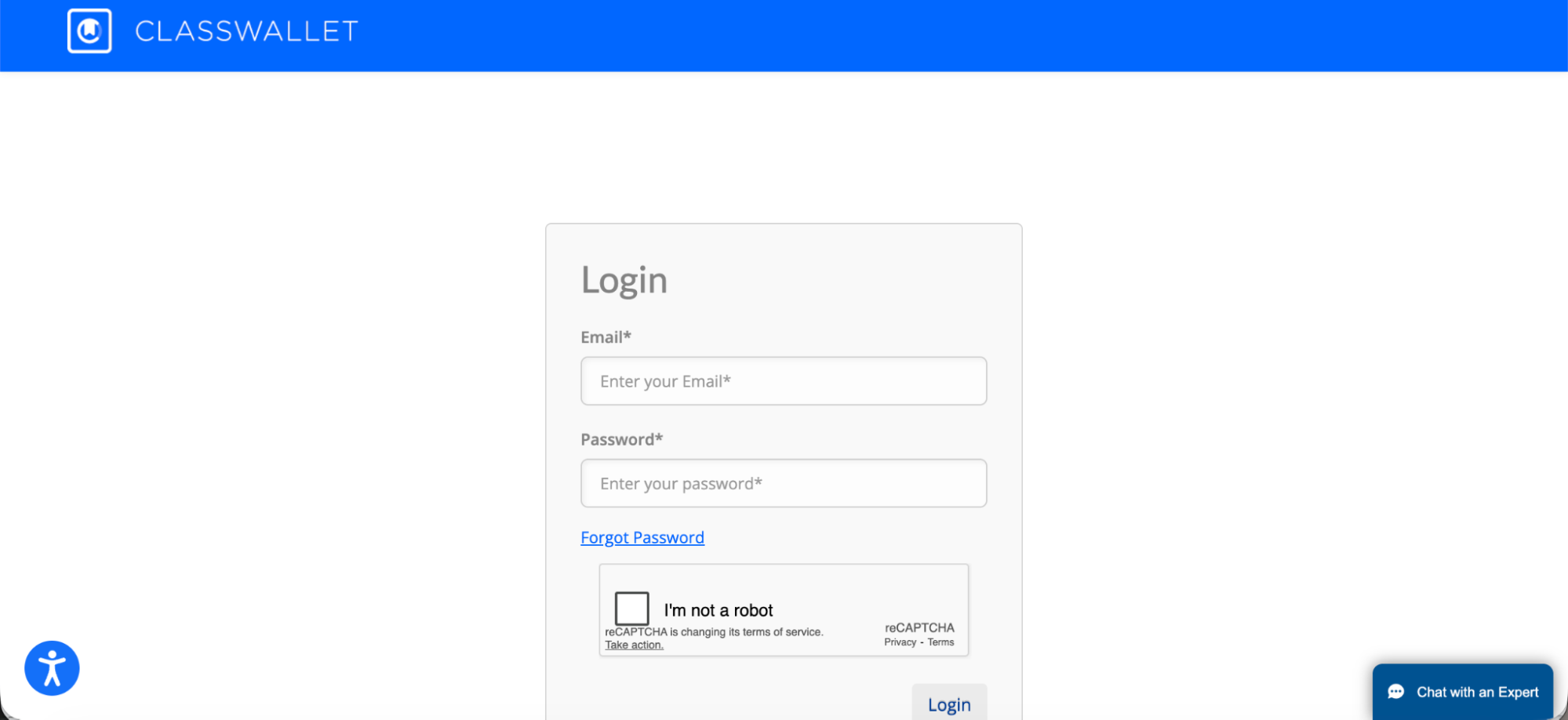
Step 1: Log into Your ClassWallet Account
Head to app.classwallet.com/login. If you have multiple children with ESA funds, you can switch between their accounts from a single login.
Step 2: Start Your Reimbursement Request
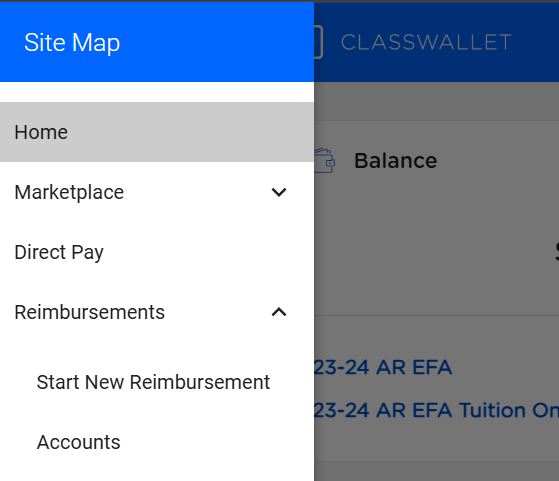
Look for the “Start New Reimbursement” button on your dashboard. The button is either located in the menu or under the reimbursement section. Click on it.
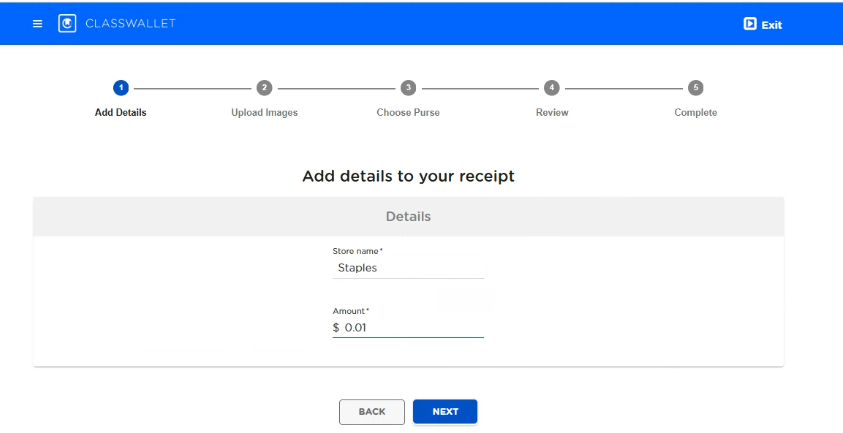
Step 3: Enter Transaction Details
Look for the “Start New Reimbursement” button on your dashboard. The button is either located in the menu or under the reimbursement section. Click on it.
Step 4: Upload Your Documentation
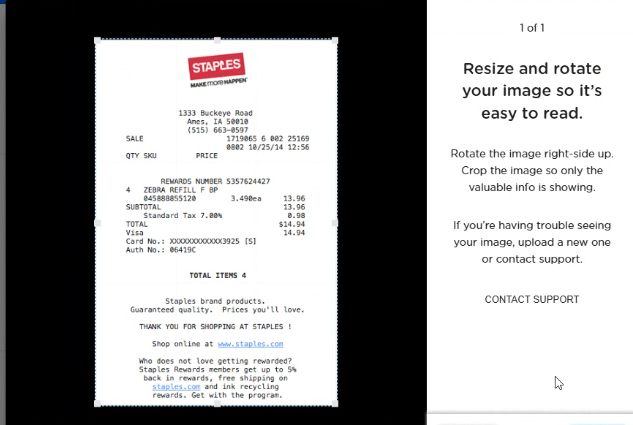
This is where you need to upload the receipt. Take a clear photo or upload a PDF as the ClassWallet accepts JPEG, PNG, or PDF files up to 10 MB (five pages maximum).
Step 5: Choose Your Funding Source
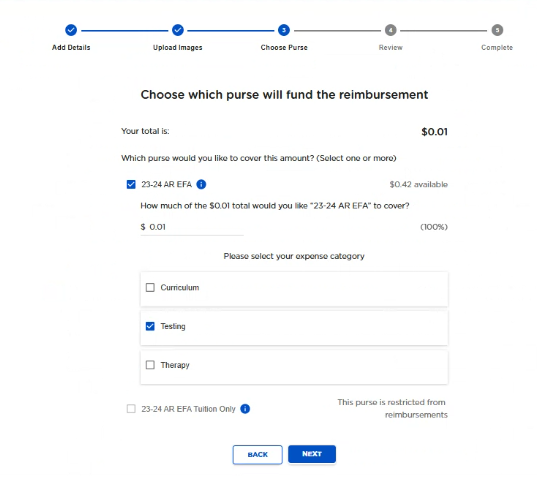
Select which “purse” you wish to use for the transaction. You can even use multiple funding sources for a single reimbursement. Funds marked “Restricted from Reimbursements” won’t be available.
Recommended Reading: Your Step-by-Step Guide to Accessing Arizona ESA Funds
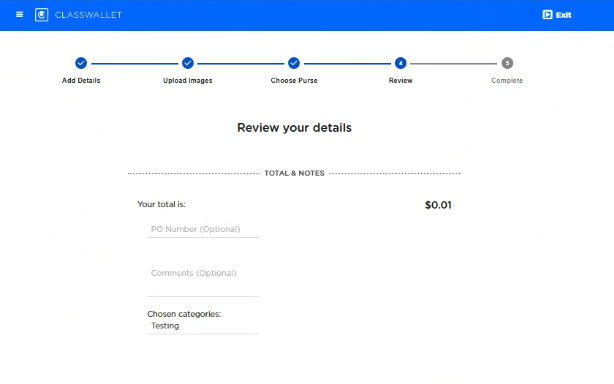
Step 6: Review and Submit
Double-check everything before you hit submit. Once it’s in, ClassWallet typically processes requests within 3-5 business days.
Step 7: Watch for Your Funds
When your reimbursement is approved, ClassWallet transfers the money directly to your linked bank account. You’ll get an email confirmation with transaction details.
Explore how you can spend funds on the ClassWallet Marketplace.
Recommended Reading: What Every Arizona Parent Should Know About the ESA Program

What If Something Goes Wrong?
Sometimes reimbursements get denied, even after following the process. The most common reasons are incomplete documentation, purchases from non-approved vendors, or receipts that don’t meet state requirements. If your request is denied by ClassWallet, you’ll receive an explanation. You can correct the issue and resubmit.
Lost your receipt? Contact your vendor immediately to request a duplicate. Without proper documentation, your reimbursement won’t be processed.
Recommended Reading: Step-by-Step Guide to Registering Your Child for Arizona’s ESA Program
The Bottom Line
Yes, you can claim reimbursements for purchases made earlier in the school year, as long as they fall within your ESA program’s guidelines and the current school year.
The key is keeping good records. Save every receipt. Document every purchase. Link your bank account to ClassWallet ahead of time.
Need help? ClassWallet support is available Monday through Friday, 8 am-8 pm EST, and Saturday, 10 am-4 pm EST. Call 1-877-969-5536 or email help@classwallet.com.
Moonpreneur is on a mission to disrupt traditional education and future-proof the next generation with holistic learning solutions. Its Innovator Program is building tomorrow’s workforce by training students in AI/ML, Robotics, Coding, IoT, and Apps, enabling entrepreneurship through experiential learning.