


 Attend our in-person Robotics & Math



Update: This article was last updated on 3rd April 2024 to reflect the accuracy and up-to-date information on the page.
Choosing gifts is not an easy task, especially for growing children. If you’re looking for a last-minute gift for a child in your family, consider this lovely combination of educational and interesting robotics kits for beginners.
Robotics for kids can be exciting with robotics kits as it is an amazing way for them to dive into STEM education with hands-on experience in engineering and technology. With these kits, they can design and build their robots while learning about important STEM concepts.
What more? These kits will also help them develop critical skills such as problem-solving, critical thinking, and collaboration.
Now, you might be wondering which robotics kits are the best on the market. Well, we have done all your hard work – all you have to do is pick the most suitable one and watch the rising stars getting inspired to build their robots.
LIST OF BEST ROBOTICS KITS FOR KIDS
1. LEGO Mindstorms
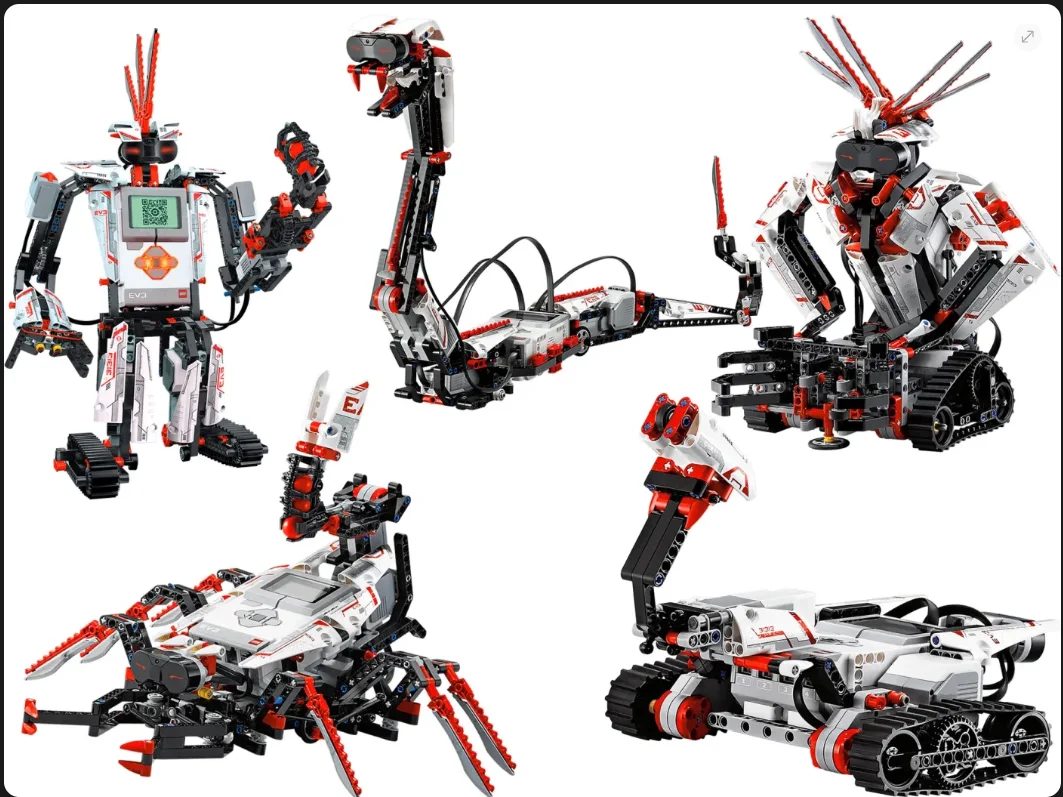
Age Recommendation: 10 years and up
LEGO Mindstorms is a classic robotics kit that has been around for years. It allows kids to build and program their robots using LEGO blocks and a programmable “brick.” The kit comes with sensors, motors, and other components, allowing for endless possibilities and opportunities for creativity.
Additionally, LEGO Mindstorms has an easy-to-use programming interface that allows kids to learn to program concepts and skills such as loops, conditionals, and variables, making it a comprehensive educational tool. The kit also has a large online community of enthusiasts who share their ideas, designs, and programming tips, making it easy to get help and inspiration.
Pros:
- Endless possibilities
- Encourages creativity
- Teaches programming skills
- Quality components
- Excellent community support
Cons:
- Expensive
- Steep learning curve
- Limited battery life
- Limited flexibility
2. Sphero Bolt

Age Recommendation: 8 years and up
Sphero Bolt is a robot ball programmed to move, light up, and detect objects. It comes with various sensors, including a compass and accelerometer, and can be controlled using a smartphone app.
The Sphero Bolt is designed to be durable, with a tough, scratch-resistant shell, making it suitable for regular use. The best part is its intuitive programming interface and high-quality components that make it an excellent educational tool for learning about robotics for both new and experienced users.
Pros:
- Versatile
- Durable
- High-quality components
- Excellent sensors
- Easy-to-use programming sensor
Cons:
- Limited battery life
- Limited online resources
- Limited programming options for experienced users
3. Makeblock mBot
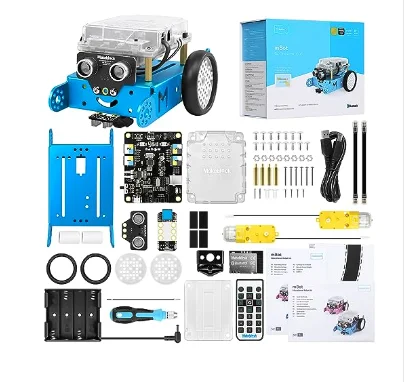
Age Recommendation: 8 years and up
Makeblock mBot is a robot car that can be programmed using a graphical coding language. The major draw for this robotic kit is that it is compatible with a range of programming languages, including Scratch, Arduino, and Python, providing users with even more flexibility and opportunities for creativity.
If you’re looking for a robotic kit to gift to a STEM enthusiast who enjoys fiddling with technology, this could be the perfect choice. The Makeblock mBot is also popular educational tool, providing kids with hands-on experience in robotics, programming, and electronics. However, its limited battery life, online resources, and building and programming options’ durability may be drawbacks for some experienced users.
Pros:
- Easy to assemble
- Affordable
- Excellent for education
- Highly interactive
Cons:
- Limited building options
- Not very durable
- Inactive online community
4. Wonder Workshop Dash and Dot
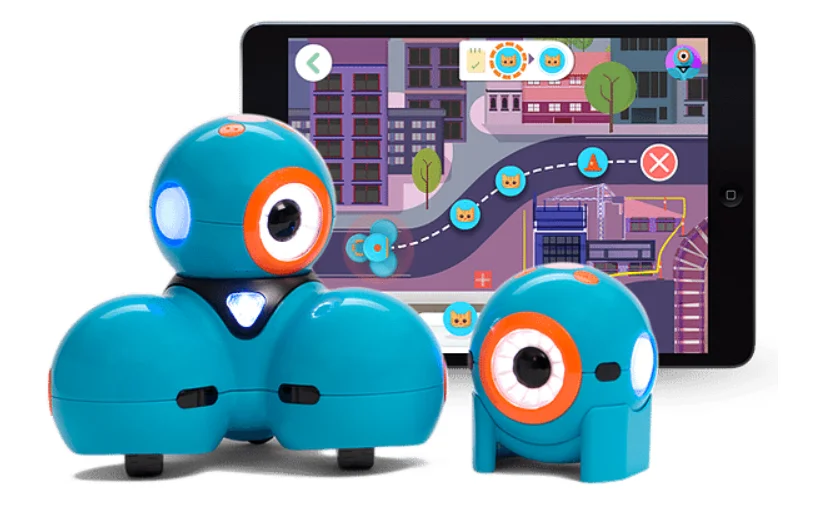
Age Recommendation: 6 years plus
If you are on the lookout for a robotic kit that can be considered an excellent investment, then look no further than the Wonder Workshop Dash and Dot kit. Wonder Workshop Dash and Dot is a set of two robots that can be programmed using a visual coding language. It won’t just deliver endless hours of fun but also help build essential STEM skills.
One of the unique selling points (USPs) of this kit is its intuitive and easy-to-use programming interface. It has drag-and-drop programming blocks that make it accessible to even very young children. With a versatile range of sensors and accessories, this kit offers a wide range of programming options and activities, such as music creation and obstacle courses.
Pros:
- Highly engaging
- Drag and drop programming
- Tough shell for added durability
Cons:
- Limited expansion options
- Expensive
- Not suitable for highly experienced users
5. Ozobot Bit
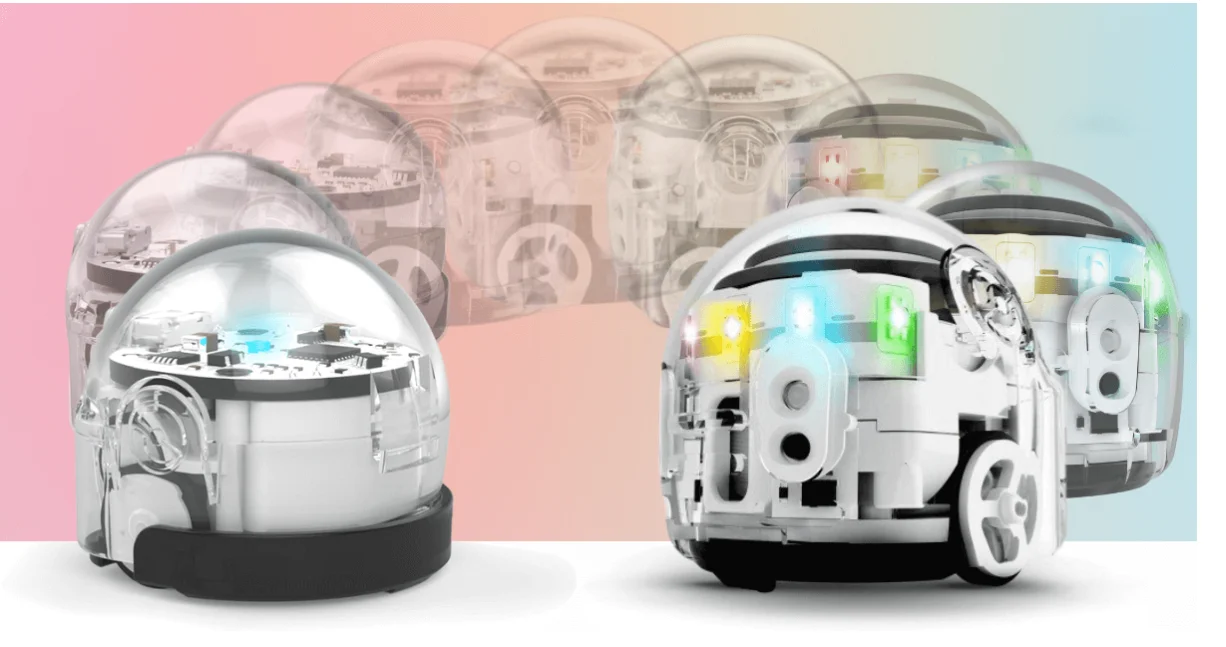
Age Recommendation: 6 years and up
This small robot can be programmed using a range of coding languages, including visual block coding and JavaScript. Unlike many other robotics kits, the Ozobot Bit can be programmed using markers and a programming language called OzoBlockly. This makes it accessible to kids with different skill levels, allowing them to progress from basic to more advanced programming concepts.
However, the most attractive element of the Ozobot Bit is its small size, which makes it easy to transport and use in limited space. It also has a cost-effective price point compared to other robotics kits in the market, making it an accessible option if you’re looking to introduce your kids to STEM education.
The Ozobot Bit’s unique color and line-detection technology also make it a standout option in the market. It responds to colors and lines drawn on paper or on-screen, providing a unique and creative way to program and control the robot.
Pros:
- Portable due to its small size
- Relatively affordable kit
Cons:
- Fragile
- Limited functionality
- Lack of adaptability
6. UBTECH JIMU Robot BuilderBots Kit
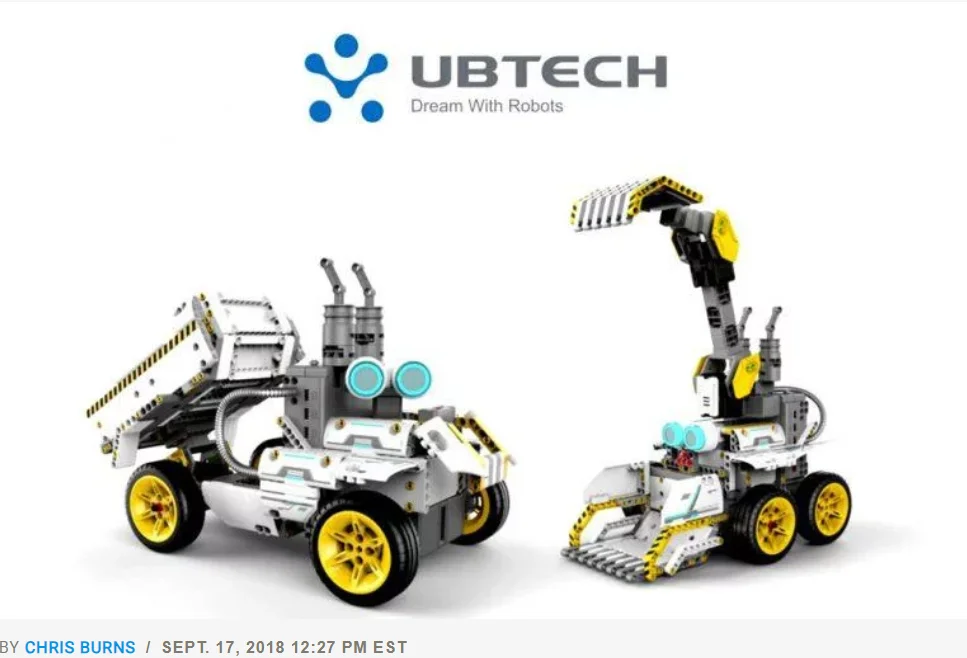
Age Recommendation: 8 years and up
A versatile and interactive robotics kit, the UBTECH JIMU Robot BuilderBots Kit allows kids to assemble and program their robots. With a modular building system, it encourages creativity and customization, providing a unique learning experience. The mobile app facilitates easy control and programming, making it an engaging choice for young STEM enthusiasts.
Pros:
- Modular building system for customization
- Teaches robotics and coding
- Interactive and programmable
- Durable construction
- Mobile app for easy control
Cons:
- Some users may find the instructions challenging
- Limited online community support
7. Anki Vector Robot
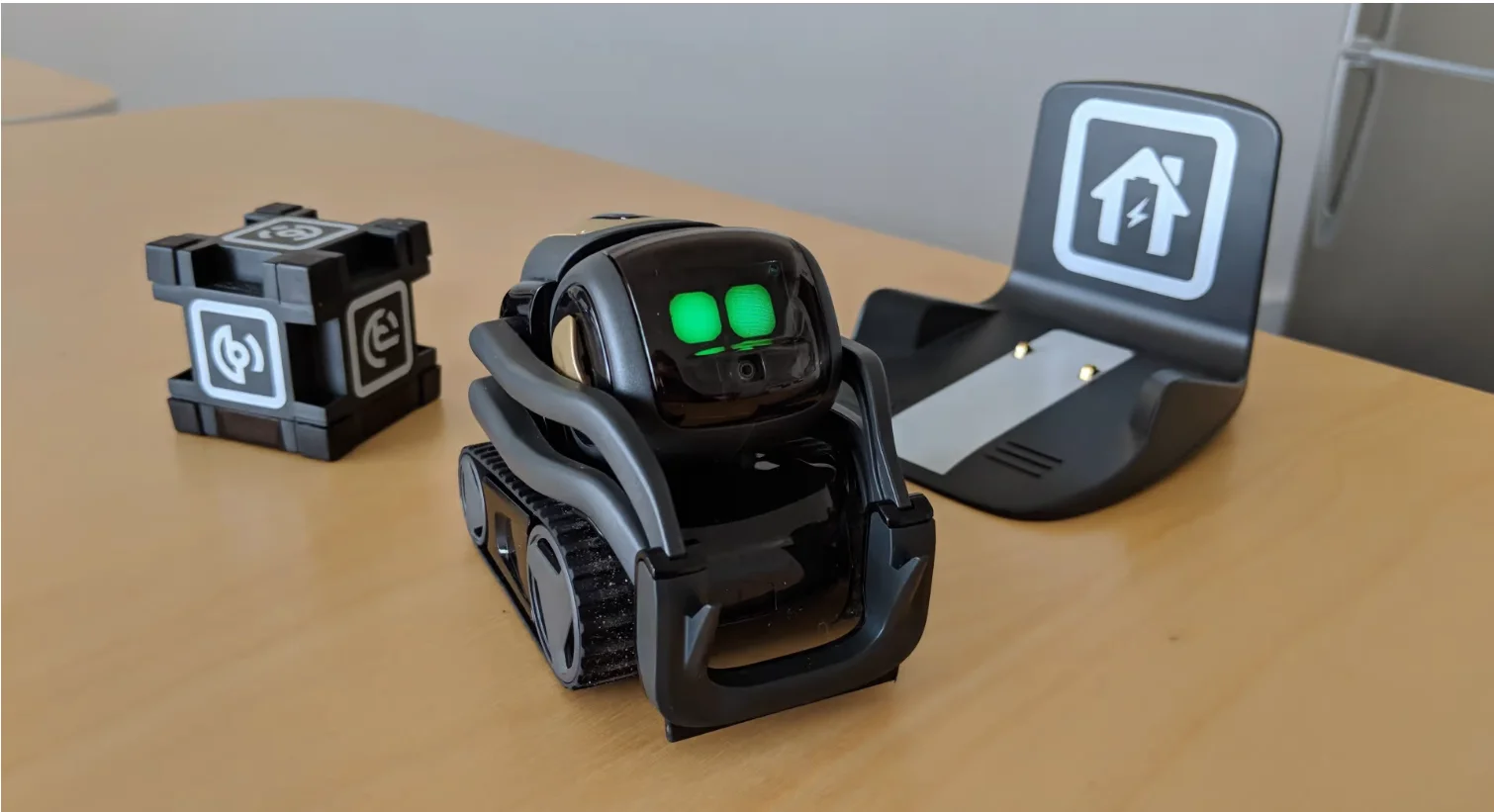
Age Recommendation: 12 years and up
Anki Vector Robot goes beyond traditional robotics kits, featuring advanced AI and facial recognition capabilities. It’s not just a robot; it’s a companion that responds to voice commands, plays games, and can be programmed for various tasks. While it may have a higher price tag, its cutting-edge technology offers a unique and educational experience.
Pros:
- Advanced AI and facial recognition
- Voice-controlled and interactive
- Educational games and programming options
- Sleek design
- Regular updates for added features
Cons:
- Relatively higher price point
- Limited physical building components
8. Thames & Kosmos Robotics Workshop
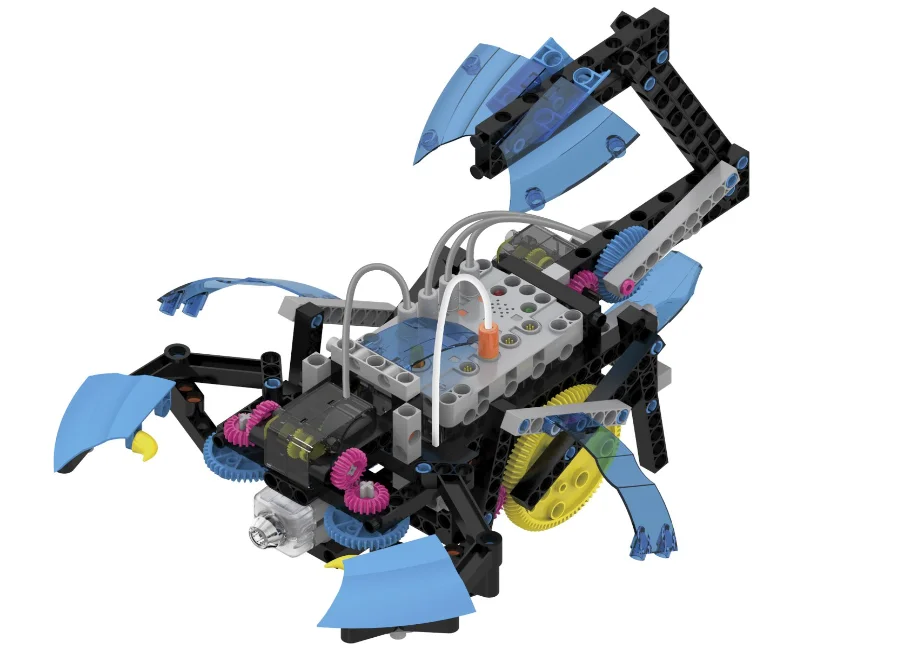
Age Recommendation: 10 years and up
The Thames & Kosmos Robotics Workshop is not just a kit; it’s a complete robotics workshop in a box. With a focus on education, it provides a comprehensive curriculum covering various STEM concepts. The kit includes many building components and programming options, making it suitable for in-depth exploration and experimentation.
Pros:
- Comprehensive robotics and engineering curriculum
- Expansive building and programming components
- Quality instructional materials
- Encourages experimentation
- Supports collaborative learning
Cons:
- Assembly may be time-consuming for younger users
- Higher cost compared to some other kits
9. Arduino Starter Kit
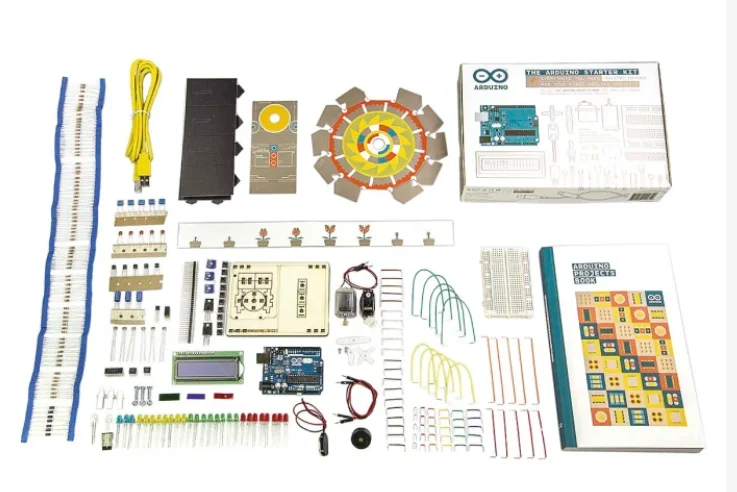
Age Recommendation: 13 years and up
The Arduino Starter Kit is perfect for older kids or teenagers interested in electronics and coding. It offers open-source hardware and software for endless project possibilities. While it may have a steeper learning curve, it provides a solid foundation for understanding advanced STEM concepts.
Pros:
- Based on the popular Arduino platform
- Open-source hardware and software
- Ideal for learning electronics and coding
- Diverse project possibilities
- Large online community for support
Cons:
- Requires a computer for programming
- May be overwhelming for absolute beginners
10. Robolink 11-in-1 Programmable Robot Kit
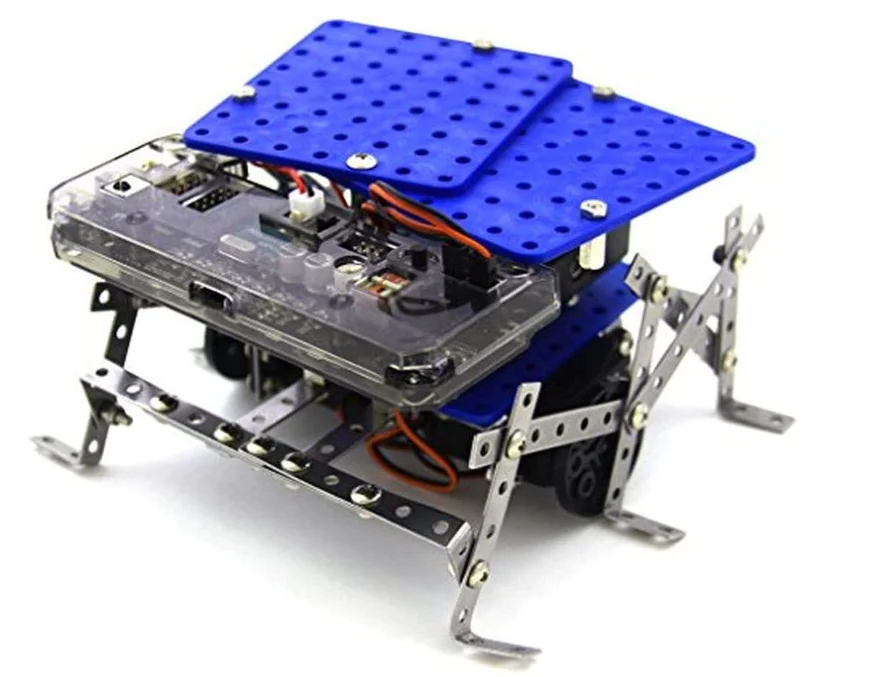
Age Recommendation: 10 years and up
With multiple robot configurations available from a single kit, the Robolink 11-in-1 Programmable Robot Kit excels in versatility and affordability. It provides hands-on experience in coding and electronics. Video tutorials to guide users, make learning and building different robot models an enjoyable and educational experience.
Pros:
- Multiple robot configurations in one kit
- Teaches coding and electronics
- Affordable with good value for money
- Video tutorials for easy learning
- Modular and upgradeable
Cons:
- Limited sensor capabilities
- May require additional components for certain projects
11. littleBits Star Wars Droid Inventor Kit
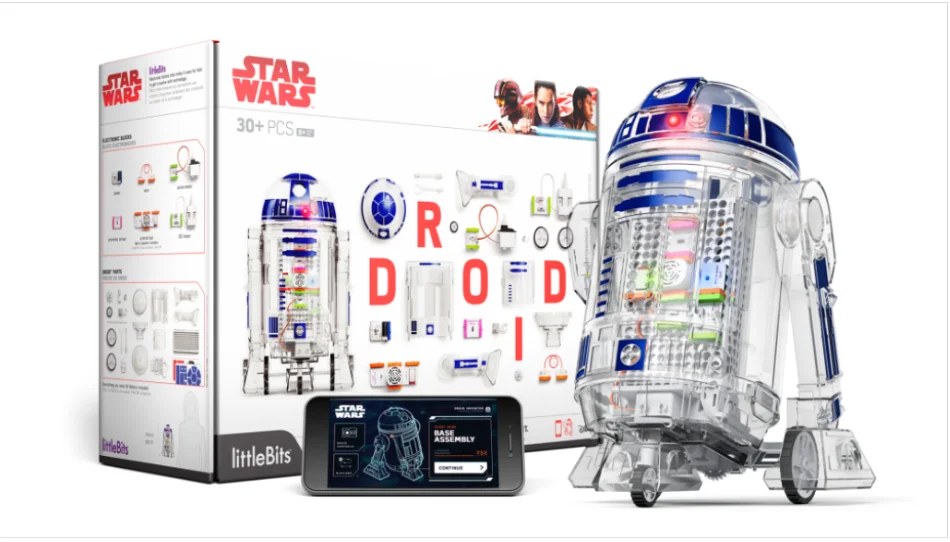
Age Recommendation: 8 years and up
For young Star Wars enthusiasts, the littleBits Droid Inventor Kit, a blend of technology and creativity, allows children to build their R2-D2-inspired droid and engage in app-based missions to learn coding and electronics in an interesting setup.
Pros:
- Star Wars-themed, capturing the interest of fans
- Modular, snap-together components for easy assembly
- Teaches coding and electronics through app-based activities
- Customizable with mission-based challenges
- Encourages imaginative play and creativity
Cons:
- Requires a mobile device for app interaction
- Limited in terms of advanced programming capabilities
12. Kano Computer Kit
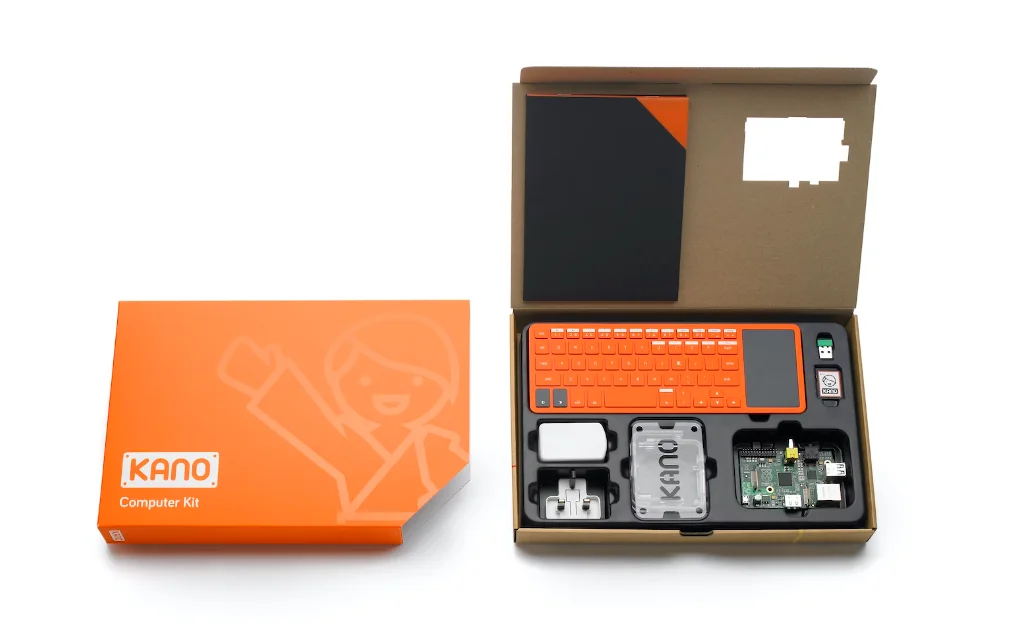
Age Recommendation: 6 years and up
Again an interesting ensemble, the Kano Computer Kit provides a unique experience by allowing kids to build their computers and learn to code through engaging software. It’s an excellent introduction to computer science, offering both hardware and software exploration for young tech enthusiasts.
Pros:
- Build a fully functional computer from scratch
- Teaches coding through interactive software
- Creative and customizable, encouraging exploration
- Includes programming projects and challenges
- Ideal for introducing basic computer science concepts
Cons:
- May require adult assistance for younger users
- Limited hardware compared to traditional computers
13. ELEGOO UNO R3 Smart Robot Car Kit
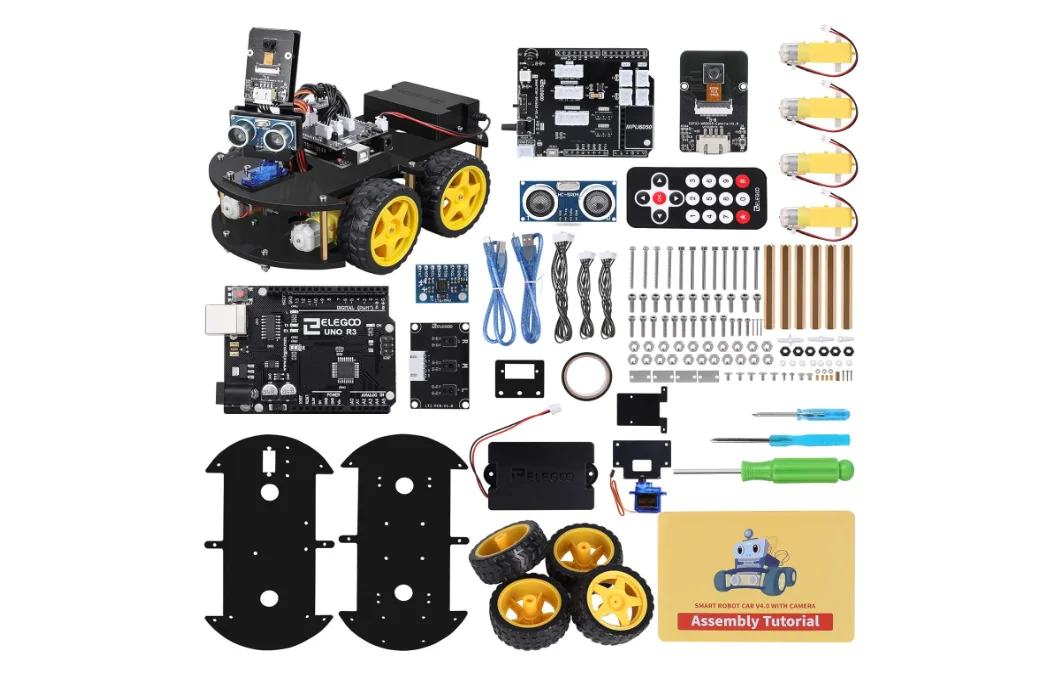
Age Recommendation: 12 years and up
The ELEGOO UNO R3 Smart Robot Car Kit merges the worlds of robotics and electronics, offering hands-on experience with Arduino programming. With a focus on customization and versatility, it’s suitable for learners interested in exploring both hardware and software aspects of STEM.
Pros:
- Combines robotics and electronics with Arduino programming
- Versatile, allowing customization and expansion
- Teaches coding and sensor integration
- Affordable with a comprehensive set of components
- Supports both beginner and advanced programming
Cons:
- Some users may find assembly instructions challenging
- Requires a computer for programming
14. Cubroid Coding Block Kit
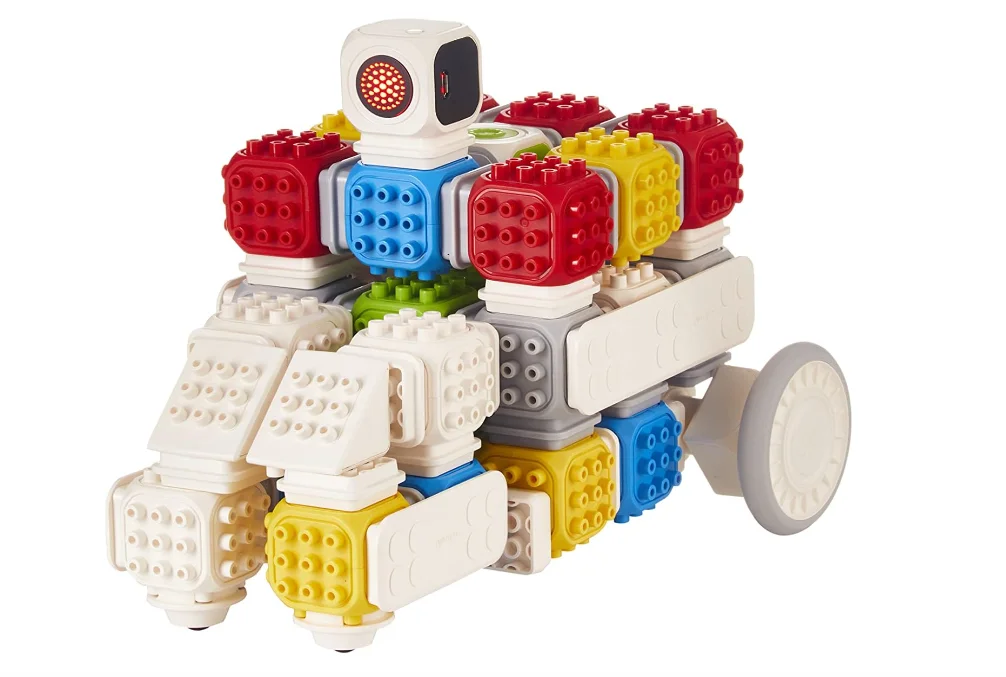
Age Recommendation: 5 years and up
The Cubroid Coding Block Kit offers a unique approach to coding by using physical building blocks, making it an ideal choice for younger children. It provides a screen-free coding experience that playfully promotes creativity and problem-solving skills.
Pros:
- Screen-free coding with physical building blocks
- Intuitive and easy for young children to grasp
- Encourages creativity and problem-solving
- Teaches fundamental coding concepts
- No additional devices are required for coding
Cons:
- Limited to basic coding concepts
- May not be challenging enough for older children
15. Robotis Play 600 Pets Kit
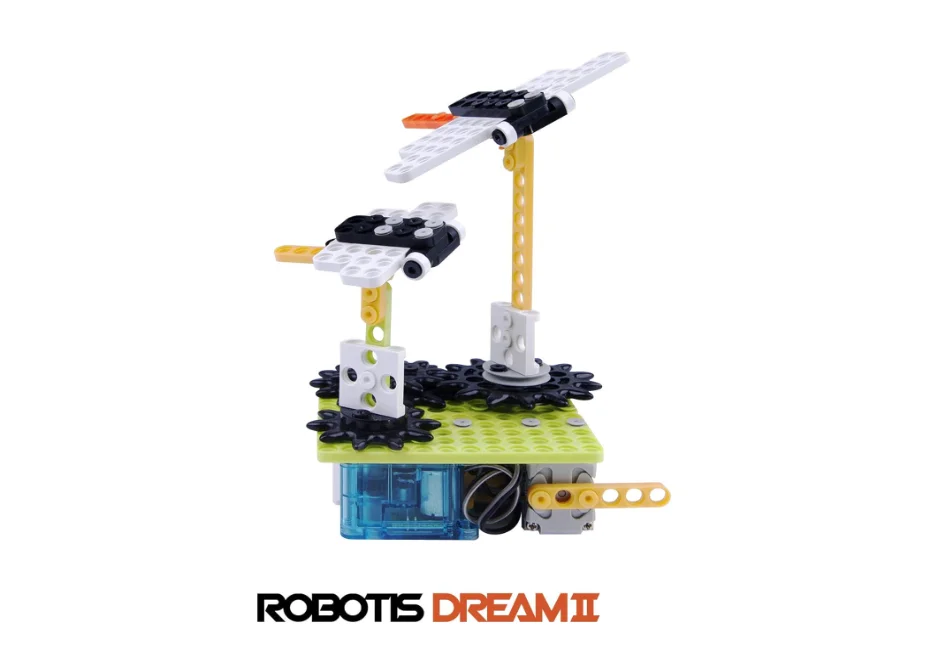
Age Recommendation: 8 years and up
The Robotis Play 600 Pets Kit is an engaging way for children to explore robotics and engineering by building movable robotic pets. It not only provides a hands-on learning experience but also encourages imaginative play as kids create and interact with their robotic companions.
Pros:
- Build various robotic pets with movable parts
- Teaches basic engineering and robotics concepts
- Interactive and customizable
- Engages children in creative storytelling
- Compatible with other Robotics kits for expanded projects
Cons:
- May require adult assistance for complex builds
- Limited programming features compared to advanced kits
Pick one of these amazing robotic kits to impress the curious young mind in your family and become their favorite. Each kit has unique features, but they all share the same goal of introducing children to the exciting world of STEM education.
Consider these an investment in their future that they will cherish for years.
Want to make your child future-ready with Robotics? Moonpreneur offers a tailor-made program. Reserve a spot in our free 60-minute workshop today and introduce them to the amazing world of robotics and innovations!












Are these robot kits better suited for hobbyists than for use in professional projects?
Many kits are designed with hobbyists in mind, but some include advanced capabilities appropriate for professional projects. To learn more about the professional-grade capabilities of each product, see its specs.
Can these kits be modified to function with additional hardware or sensors in addition to those that come with the package?
Customization with extra hardware or sensors is possible with certain kits. It is advisable to examine the product specifications for information on compatibility and limits.
Do these kits function alone, or can they be used as a springboard for more complex robotics projects?
The kits fulfill various functions; some are stand-alone solutions, while others are intermediate steps leading to more complex projects. Evaluate each kit’s future potential and scalability.
Ozobot Color Code Magnet Kit is better than Ozobot Bit. Students can program Ozobot Color Code Magnet Kit to follow creative paths, change its speed, or perform special moves using Ozobot accessories.