Attend our in-person Robotics & Math



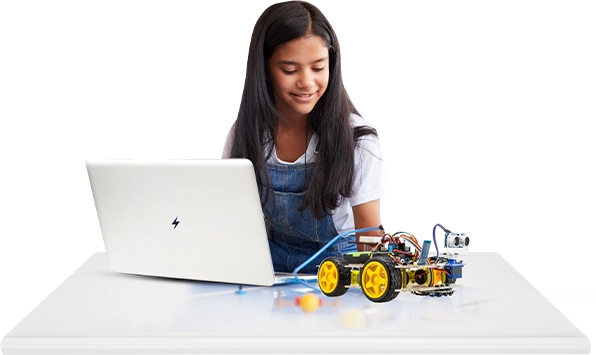
Learning to use a computer mouse is one of the first digital skills every child should learn. If your child is new to computers or needs to work on speed and accuracy, mouse practice games for kids are a fun, interactive way to build confidence.
Kids don’t have to practice and practice. They can learn vital computer mouse skills in fun games, exciting activities, and interesting challenges. These games enhance hand-eye coordination, clicking accuracy, drag, drop, and cursor control, all the while making learning fun.
Why Mouse Practice Is Important For Kids
Before children start coding, typing, or using educational software, they need to have good mouse skills. Proper mouse practice allows them to build confidence while learning the essential computer skills required for school and everyday technology use. Proper mouse practice allows them to:
- Enhance hand-eye coordination
- Learn left and right click functionality
- Improve drag-and-drop skills
- Enhance cursor control and accuracy
- Gain confidence with computers
- Get ready for classroom technology
These are vital skills for children to use educational apps, complete assignments, and engage in online learning.
What Are Mouse Practice Games?
Mouse practice games are interactive online activities designed to teach children how to use a computer mouse correctly. They encourage kids to move the cursor, click objects, drag items, and complete simple challenges while having fun.
Many schools and parents use these games because they turn learning into play, making it easier for young learners to stay engaged.
Some games focus on:
- Cursor movement
- Single-click practice
- Double-click exercises
- Drag-and-drop activities
- Speed and accuracy challenges
- Puzzle-solving with the mouse
Best Mouse Practice Games For Kids
1. Dragon Drop
Dragon Drop is one of the most popular games for improving drag-and-drop abilities. Kids help a friendly dragon by dragging objects into the correct places.
Benefits include:
- Better drag-and-drop control
- Improved cursor precision
- Stronger hand coordination
- Increased confidence
Dragon Drop is ideal for preschoolers and elementary school students who are learning basic mouse movements.
2. Mouse House Practice Games
Mouse House Practice Games teach children how to move the cursor with precision by helping a mouse complete different tasks.
Children learn to:
- Move the mouse smoothly
- Click accurately
- Follow pathways
- Complete simple objectives
These games are perfect for beginners.
3. Balloon Popping Games
Balloon popping games make children click on moving targets. This helps improve:
- Response time
- Pointer precision
- Click accuracy
- Mouse speed
These games are a great way to keep kids engaged while improving their clicking skills.
4. Drag Puzzle Game
Puzzle games encourage children to drag puzzle pieces into the correct places.
They help improve:
- Drag-and-drop control
- Problem-solving skills
- Fine motor skills
- Concentration
These games keep kids captivated and build their clicking muscles.
5. Paint and Coloring Games
Drawing and coloring games provide excellent practice for mouse movement.
Children learn to:
- Control cursor movement
- Trace shapes
- Draw lines
- Stay within boundaries
These games enhance coordination and prepare children for more advanced computer activities.
At around 18 months, toddlers experience what The first computer mouse, invented in 1964 by Douglas Engelbart, was made of wood and had only one button. Today's educational mouse games have transformed that simple invention into a fun learning tool that helps millions of children develop essential digital skills.
Computer Mouse Practice Games Online
Many online computer mouse practice games help children to develop digital skills through interactive learning.
Some Top categories are:
- Click Games
- Cursor maze games
- Drag and drop activity
- Memory Game
- Shape matching games
- Object collection games
Most online games do not require downloading and can be played directly from a web browser.
Mouse Practice Games for Kids Online
Parents and teachers often search for mouse practice games for kids online because they are convenient and easy to access.
Online games offer several advantages:
- Play from any device
- Interactive learning
- Instant feedback
- Fun animations
- Progressive difficulty levels
These games make computer learning exciting for children of all ages.
Mouse Practice Games for Kids Free
The good news is that many free mouse practice games for kids are available online.
Free games help children practice:
- Clicking
- Double-Clicking
- Dragging
- Dropping
- Cursor movement
- Accuracy
Parents can introduce digital skills without purchasing expensive software.
Mouse Practice for Kids
Regular mouse practice for kids helps develop confidence and improves overall computer literacy.
Experts recommend practicing for 10-15 minutes daily to gradually improve:
- Cursor control
- Clicking speed
- Precision
- Coordination
Short, consistent sessions are often more effective than long practice periods.
Free Computer Mouse Practice Games
Many websites offer free computer mouse practice games suitable for preschoolers, kindergarten students, and beginners.
These games feature:
- Bright graphics
- Simple instructions
- Easy controls
- Age-appropriate challenges
They create a stress-free environment where children can learn through play.
Mouse Practice Games For Kindergarten
Kindergarten students need simple activities that focus on basic movements.
The best mouse practice games for kindergarten include:
- Matching games
- Balloon popping
- Animal clicking games
- Drag-and-drop puzzles
- Shape sorting
These games teach children how to hold and control the mouse before introducing more advanced computer tasks.
Mouse Practice Games 1: Building the Basics
| Beginner activities are categorized by level on many educational platforms, such as Mouse Practice Games 1. | |
| These introductory games concentrate on: |
|
| After that, they can progress to higher levels, having learned these basics. | |
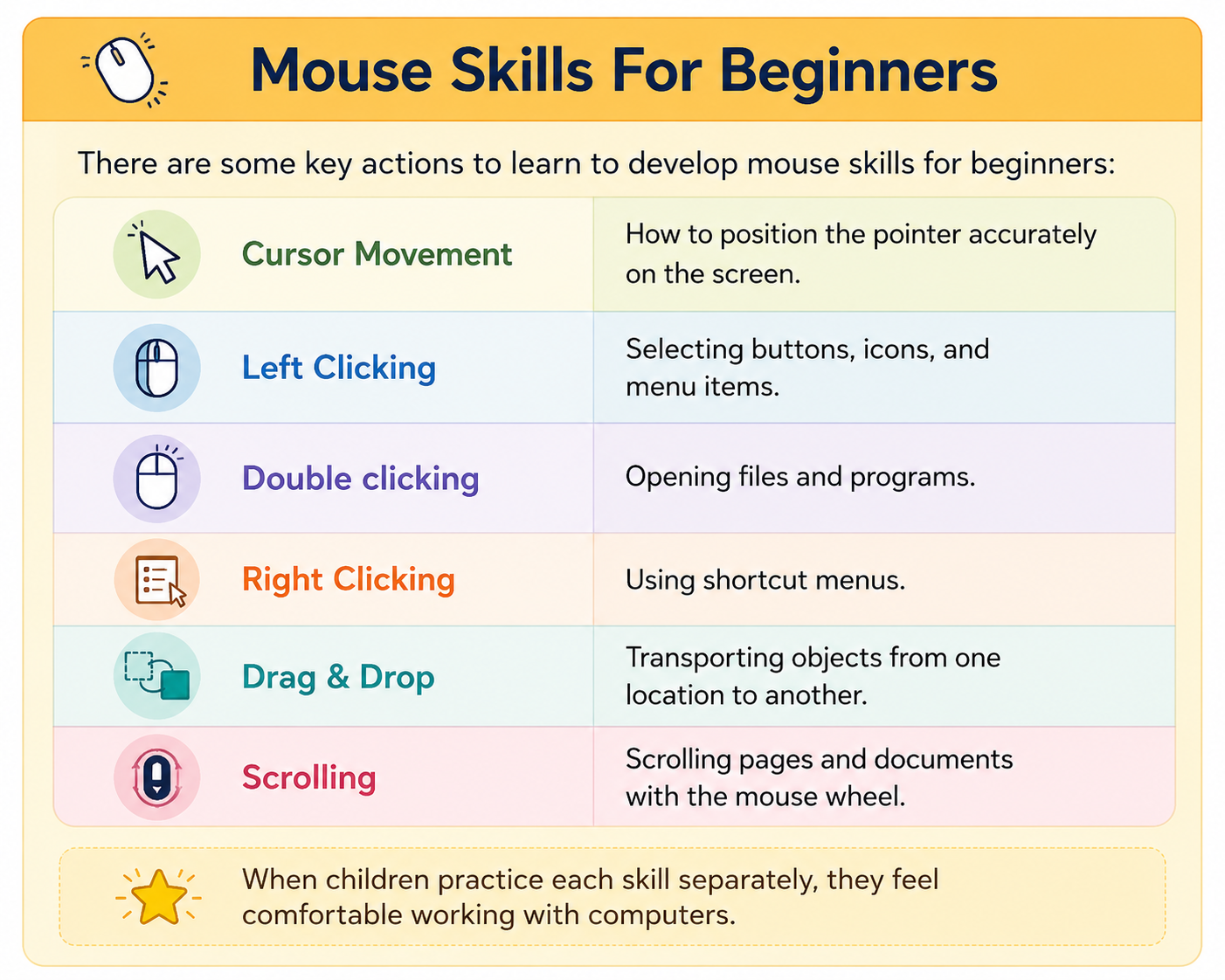
Practice Your Mouse Skills Through Games
The best way to practice your mouse skills through games is by selecting activities that combine learning with fun. Educational games help children to:
Children love to learn on computers. Hence, they improve their skills naturally instead of viewing it as work.
Tips for Parents & Teachers
Benefits of Mouse Practice Games
Regular practice provides several long-term benefits:
Final Thought ...
Building strong computer mouse skills is an essential step in every child’s digital learning journey. Interactive mouse practice games transform basic computer training into an enjoyable experience by teaching children how to click, drag, and navigate with confidence.
Whether you are looking for computer mouse practice games online, mouse practice games for kids free, Dragon Drop, Mouse House practice games, or beginner-friendly activities, there are plenty of engaging resources available. With regular practice, children can develop the skills
ensure you are on the right track? Explore a wealth of parenting wisdom and educational insights in Moonpreneur’s blogs. Additionally, you can join our programs that nurture the next generation of innovators. Book a free trial now!