


 Attend our in-person Robotics & Math




Update: This article was last updated on 26th September 2023 to reflect the accuracy and up-to-date information on the page.
We at Moonpreneur teach game development using Minecraft in addition to Robotics, and our expert faculty are sharing below the methods on how to find coordinates in Minecraft. Let’s explore.
What Are Coordinates?
Finding coordinates in Minecraft is essential for any player looking to navigate the game’s vast and complex world. The coordinates in Minecraft consist of three values: X, Y, and Z.
The X and Z coordinates represent your horizontal position in the world, while the Y coordinate represents your vertical position. Let’s try to understand this a bit better.
X coordinate indicates the East/West map position. Positive means East, negative means West.
Y coordinate represents vertical position. Going up increases the positive value, going down or towards bedrock decreases it.
Z coordinate determines South/North map position. Positive is South, negative is North.
Knowing your coordinates can help you keep track of where you are in the game and can be used for a variety of purposes, such as building, exploring, and even sharing your location with friends
Here are a few ways to find your coordinates in Minecraft:
Java Edition: Method 1
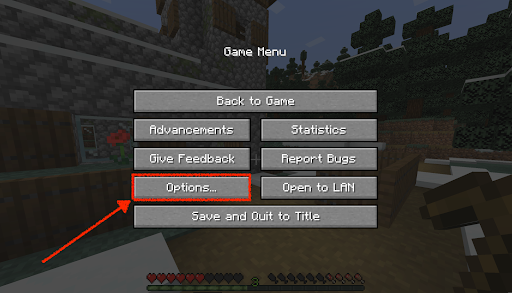
Step 1 – Open the in-game menu by pressing the “ESC” key on your keyboard.

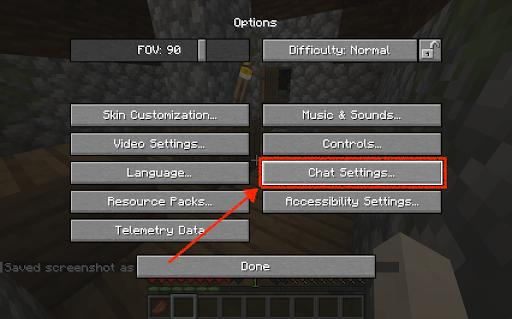
Step 2 – Click on the “Options” button, then select “Chat Settings” from the menu.
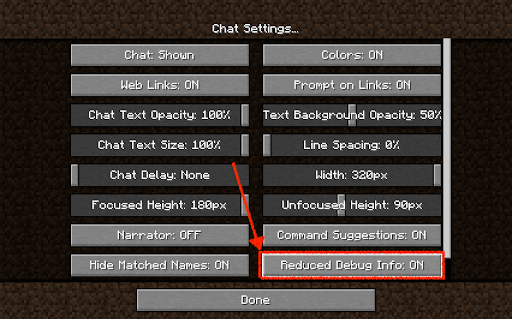
Step 3 – Now Press F3 in the game to get all the details along with coordinates.
The coordinates of your current location will be displayed in the top left corner of the screen. The first number is your X coordinate, the second is your Y coordinate, and the third is your Z coordinate.
Method 2
Another way to check your coordinates is by opening the chat window (press “T” on your keyboard) and typing “/tp ~ ~ ~” (without the quotes). This command will display your current coordinates in the chat window.
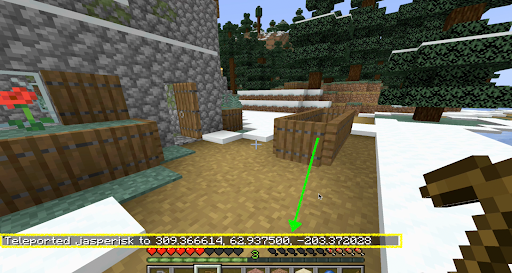
Method 3
To teleport to a specific set of coordinates, you can use the “/tp x y z” command in the chat window, replacing “x”, “y”, and “z” with the coordinates you want to teleport to.
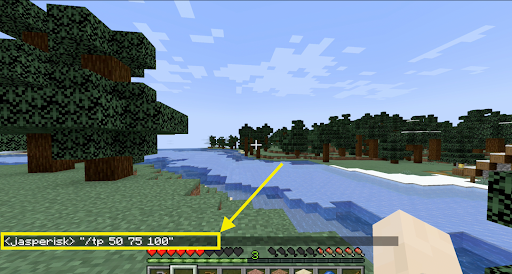
Method 4
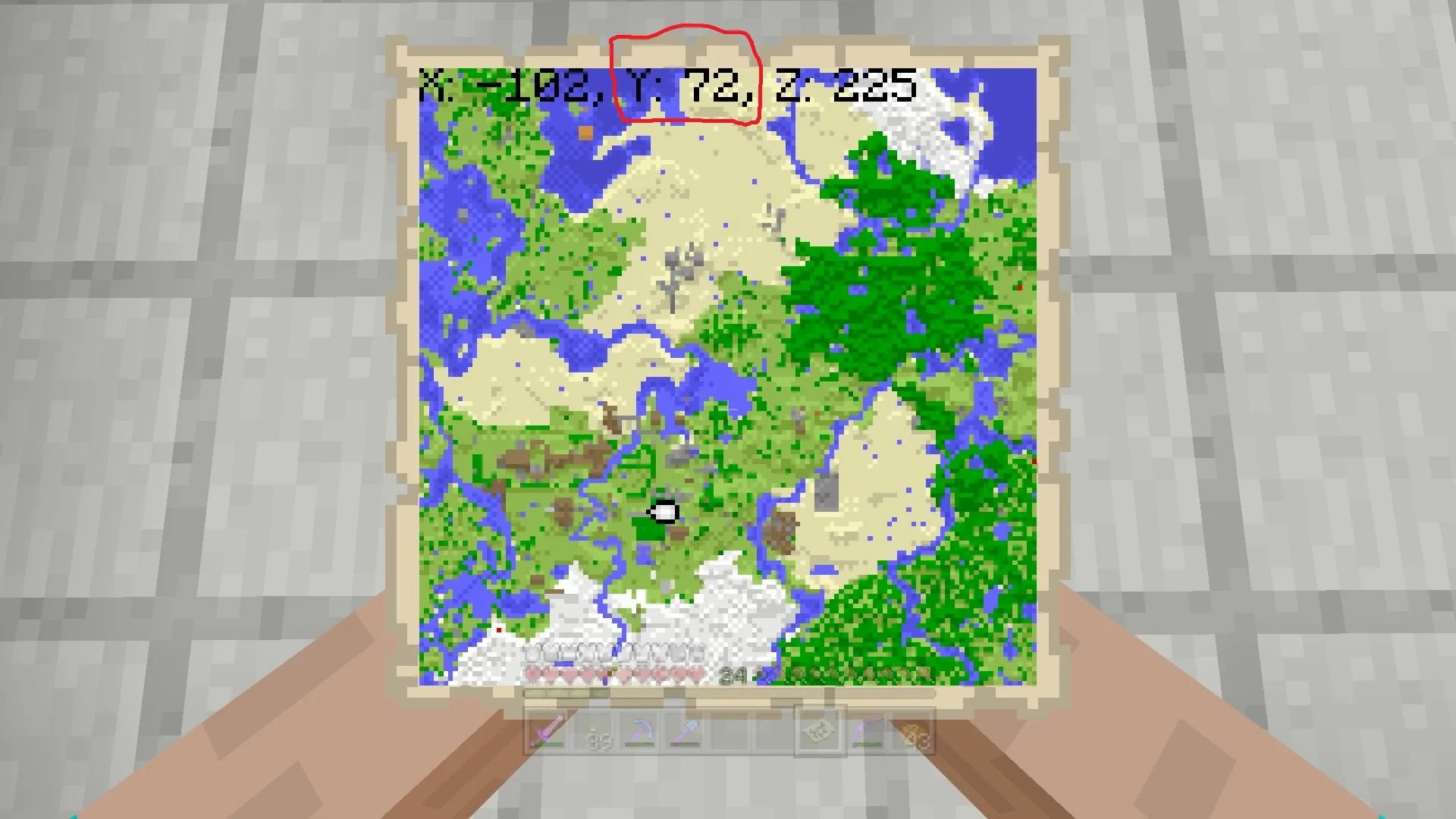
The use of a map is also a great way to check your coordinates. You can look at the map and check the coordinates in the top right corner of the map.
Bedrock Version: Enable Show Coordinates in the World Options menu when creating your world. If you missed it, go to the main menu, click the Pen/Edit icon next to your world, and enable Show Coordinates.
Recommended Reading: Top 10 FAQs About Teleport in Minecraft
Pocket Edition: In Game Settings, select Settings, go to World Options, and toggle on Show Coordinates.
Minecraft Bedrock Edition Server: As an admin, type “/gamerule show coordinates true” (without quotes) in the console (“/” key) to let players check their coordinates.
Source: Minecraft Forum
As a player, it is essential to familiarize yourself with the different ways to find your coordinates in Minecraft. With this knowledge, you’ll be able to easily navigate the game’s world and find your way back to essential locations with precision. So, next time you are out exploring the vast world of Minecraft, don’t forget to check your coordinates and always have a clear idea of where you are.
Minecraft is one of the most popular games among kids, and Moonpreneur is now turning this fun gameplay into an opportunity to learn how to code. Minecraft Coding course will help kids learn the skill of coding the fastest and in the most fun way ever possible! Book a free class today!

Frequently Asked Questions about Coordinates in Minecraft
Q.1 What are coordinates in Minecraft?
Coordinates are a set of three numbers that pinpoint your location in the Minecraft world. They consist of the X, Y, and Z values, representing your horizontal position, vertical height, and depth, respectively. Together, these coordinates form a unique identifier for any specific spot in the game.
Q2. How can I view my coordinates?
To view your coordinates, simply press the F3 key (or Fn + F3 on some laptops) on your keyboard. A debug screen will pop up, displaying various information about your game, including your current coordinates.
Q3. How can I use coordinates to find specific locations?
Knowing the coordinates can help you navigate and find specific locations in Minecraft. For example, if you have the coordinates of a village or a treasure chest, you can use them to guide your path. Just make sure to note down the X, Y, and Z values and follow them to reach your destination.
Q4. Are coordinates the same in all versions of Minecraft?
Yes, coordinates work the same way across all versions of Minecraft, whether you’re playing Java Edition, Bedrock Edition, or any other platform. The coordinate system remains consistent, allowing players to communicate and share locations seamlessly.
Q5. Can I teleport using coordinates?
Absolutely! If you’re playing in Creative mode or have administrative privileges on a server, you can use the /tp command followed by the desired coordinates to teleport to that location. It’s a handy feature when you want to travel quickly or explore different areas.
Explore More on Coordinates in Minecraft 













Are there any specific locations or structures that players commonly use coordinates for? Additionally, it would be great to know if coordinates play a role in multiplayer gameplay and how they can be shared with other players.
@steve Players often use coordinates to mark and locate specific points of interest, such as villages, strongholds or temples. Coordinates can also be helpful for navigation, allowing players to share specific locations with their friends or teammates in multiplayer gameplay.
I wanted to share my Minecraft success. Coordinates transformed my building projects, saving time and enhancing collaboration. Embrace their power for remarkable creations!
How do you find coordinates in Minecraft without F3?
Access the “Settings” menu, choose “Game,” and enable “Show Coordinates” by scrolling down.
I am struggling with turning on the coordinates. Can you please suggest a guide to learn how to do it?
Hello, we all have been into this position where we get lost and just want to know the location. You can go through our exclusive blog where you can find answers to all your questions. Here it is: https://mp.moonpreneur.com/blog/turn-on-coordinates-in-minecraft/
How do I find my friends on Minecraft without a map?
Press F3 (You will need to hold Fn if on a Mac) and look at the x, y, and z coordinates. From there you can find each other. Any OP can type “/tp ” to teleport them, without quotes and replacing player names. For example, “/tp Bob Jim” will teleport Bob to Jim.
How do you copy coordinates in Minecraft TLauncher?
Move to the block in the opposite corner of your structure, then open the chatbox and press the UP arrow to refill the chat with your previous command (which includes the coordinates for the other block). Press the Tab key to get the coordinates for the block you’re looking at, then press Enter or Return again